
Notes to myself because I keep forgetting. tl;dr Unzip it into the /opt/ directory. I want to install Filezilla - so I can SFTP files around. Sadly, the Flatpak version is unmaintained and the version in apt is out of date. Luckily, you can download the zipped version. Their Wiki helpfully says: If you have special needs, don't have sufficient rights to install programs or don't like…
Continue reading →

My Linux laptop used to suspend perfectly. I'd close the lid and it would go to sleep. Open it up, it would spring to life - presenting me with a password screen. But, some time in the last few months, it has stopped doing that. If I close the lid, it keeps running. This is unhelpful. If I manually run the suspend command - systemctl suspend - the laptop blanks the screen then immediately…
Continue reading →
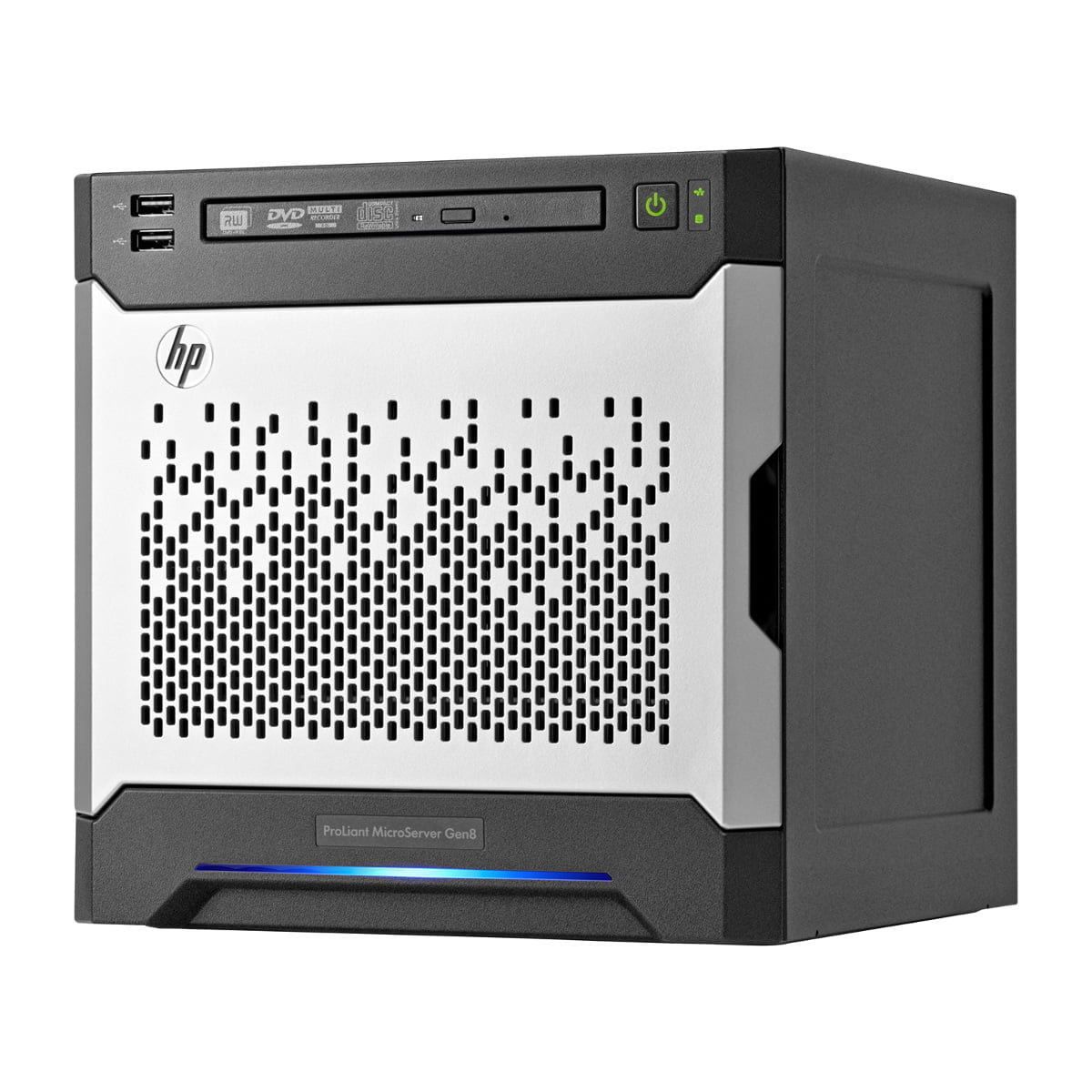
Back in 2011, I bought an HP Proliant Microserver G6 for £250. Last week I upgraded to... A Proliant G8 for £270. Nice! Hurrah for Moore's Law! Of course, setting it up is a bit of a mare. So here's a tangled mess of notes to hopefully remind me what to do... Firmware Download the latest gen8 firmware / BIOS / iLO. Find a site offering demo licence keys for iLO 4. Boot Order I stuck in an S…
Continue reading →

The Mozilla VPN service is great, but it doesn't work using the CLI if you have a "headless" server. After a bit of faffing about, I got it working. I suffered so you don't have to. Get an account Sign up and use code MOZILLA20 for a cheeky 20% discount! Get a token in the browser To start with, you'll need to get an authentication token. This requires you to be on a machine which can run a …
Continue reading →

(Mostly notes to myself.) If you have a lot of images in a directory, and want to quickly make an image montage, here's how to do it on Linux using ImageMagick. First up, this command finds all JPG file, then resizes them so they fit in a maximum box of 256x256, then sets the quality to 75%, then saves them as JPGs: find ./ -type f -iname "*.jpg" -exec mogrify -verbose -format jpg -layers…
Continue reading →

How do you quickly insert a 💩 emoji when using your laptop? I just type ScrLck, p, o, o! What is this 🧙♀️ craft? In your keyboard settings, you should see an option like this: You can set the "Compose" key to be anything you like. Personally, I use the otherwise-useless Scroll Lock button. Now, once you press ScrLck you'll see this symbol . The next few letters you type will be "absorbed" …
Continue reading →
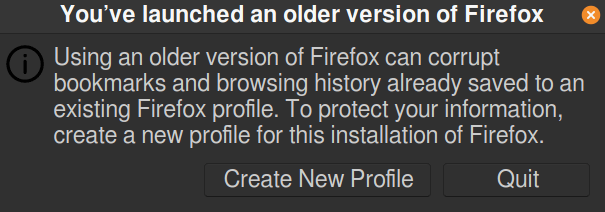
I'm an idiot. I ran a new version of Firefox nightly without creating a new profile. When I went to run my regular Firfox, I got this error message: Here's how I fixed it. Close down Firefox Open a terminal and run: firefox --allow-downgrade Let Firefox start up and create a new profile. Then go to: about:profiles You'll see something like this: Select "Set as default profile" and click…
Continue reading →

After my rant the other day about Adobe Digital Editions, I discovered libgourou by Grégory Soutadé libgourou is a free implementation of Adobe's ADEPT protocol used to add DRM on ePub files. It overcome the lacks of Adobe support for Linux platforms. There are a few limitations, but nothing too serious: Only ePub is supported. No PDF Command line only Alpha quality software. It works - but i…
Continue reading →

Back to the office! The only thing which makes other people bearable is being able to block out their chatter (sorry colleagues, I love you all dearly!). So I picked up this pair of on-ear Bluetooth headphones with active noise cancelation. They're pricey (a bit under £200) but are they any good? First impressions Not great. None of the buttons are labelled, so it's surprisingly hard to figure …
Continue reading →

Mobile phones have been one of the greatest drivers of functional enhancements for computing interfaces. I use the clipboard history feature on Android multiple times per day. Rather than copy one item, then paste it, then switch back, then copy another, then switch back etc - I just copy two items, switch app, and paste them where I want. For some reason, I never considered doing that on Linux …
Continue reading →

All the Cool Kids™ use emoji. On Android, they're usually built right in to the keyboard. But that's not the case on desktops and laptops. Well, unless you build a dedicated emoji keyboard. So I was delighted to find this brilliant little Gnome Extension called Emoji Selector. It sits in your dash, until you click it or press 💠+e. Then you get this pop up. The search bar focuses as soon as …
Continue reading →
One of the annoying things about being on the bleeding edge, is that some things don't work as you expect. I use the Wayland Display Server on my Linux box. And I couldn't find a simple screen recorder which worked. Turns out, Gnome has a hidden screen recorder! To activate it, press these keys simultaneously. CTRL+ALT+SHIFT ⇪+R A small circle icon will appear in your tray to show it is r…
Continue reading →
