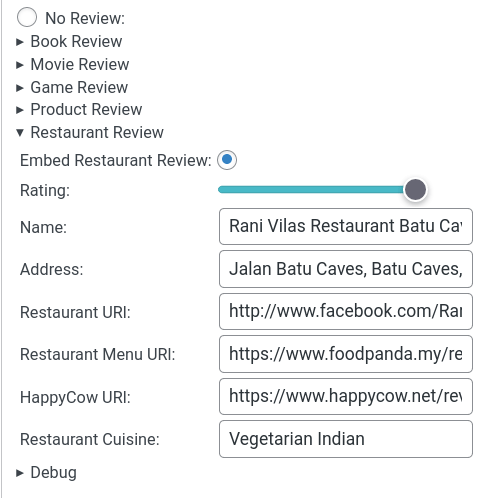
I've started adding Restaurant Reviews to this blog - with delicious semantic metadata. Previously I'd been posting all my reviews to HappyCow. It's a great site for finding veggie-friendly food around the worlds, but I wanted to experiment more with the IndieWeb idea of POSSE. So now I can Post on my Own Site and Syndicate Elsewhere. The Schema.org representation of a Restaurant is pretty…
Continue reading →

This blog uses WebMention technology. If you write an article on your website and mention one of my blog posts, I get a notification. That notification can then be published as a comment. It usually looks something like this: This means readers of my post can see where it has been mentioned around the web. They can read your article after reading mine. Nice! I've also set up a "bridge"…
Continue reading →

WordPress's Jetpack plugin allows you to easily syndicate your blog to Twitter, LinkedIn, Tumblr, Email, and a few other services. But there's no native way to publish directly to your Mastodon feed. This is a guide to how I got my blog to publish every new post to Mastodon with a nicely formatted preview. This uses Jan's "Share on Mastodon" plugin which you'll need to install and configure. …
Continue reading →

About 2.5 years ago I proposed a small accessibility improvement to WordPress. It has taken a bit longer than I'd hoped but, as of WordPress 6.1 it has been merged! Now, if you're using the Classic editor, you'll get a larger and resizeable box for entering alt text. Because the text entry uses <textarea> most browsers will also show any spelling errors. Good spelling is essential for people …
Continue reading →

The best thing about WordPress is the plugin infrastructure. A million little gadgets to make your blog better. Sadly, there are all sorts of ways plugin authors can abuse their privileges. Dodgy code and user-hostile features sometimes make plugins more trouble than they're worth. Recently, the normally excellent Blubrry PowerPress plugin pissed me off. It's a useful plugin for publishing…
Continue reading →
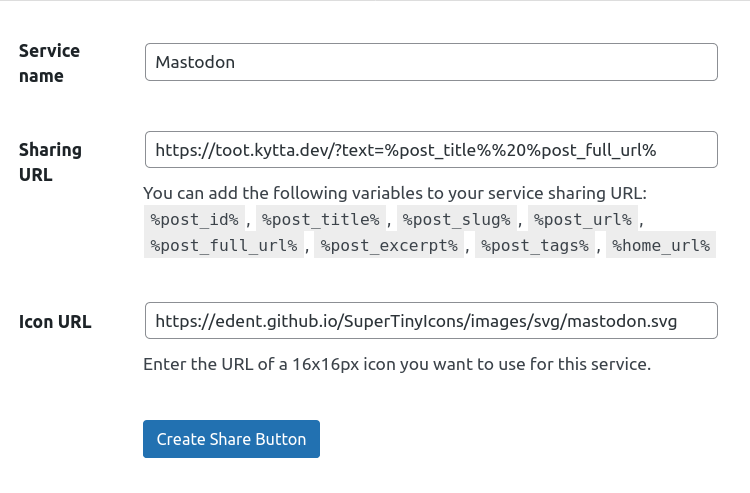
Everyone is decamping from Twitter to Mastodon! The great thing about the Federated Internet (hereafter the "Fediverse") is that it is distributed. The bad thing is… it is distributed! What do I mean by that? Here's an example of the problems with decentralised systems. If I want to create a link on a website which will share text to Twitter, I just create a URl which points to: t…
Continue reading →

As regular readers will know, I love adding Semantic things to my blog. The standard WordPress comments HTML isn't very semantic - so I thought I'd change that. Here's some code which you can add to your blog's theme - an an explanation of how it works. The aim is to end up with some HTML which looks like this (edited for brevity): <li itemscope itemtype="https://schema.org/Comment"…
Continue reading →

Previously, I've written about using Footnotes in WordPress Markdown. A reader notified me that the footnotes weren't very accessible. This blog post describes the problem and proposes a solution. The Problem Using WordPress's JetPack, markdown footnotes are rendered as: Some text <sup id="fnref-1234-1"><a href="#fn-1234-1" class="jetpack-footnote">1</a></sup> ... <li id="fn-1234-1">The…
Continue reading →
Did you know - WordPress Markdown supports footnotes? There is some documentation but I thought I'd write a slightly more comprehensive guide. The code is pretty simple. Write [^1] where you want your first footnote link to appear. Then, later in the document, write [^1]: The text of the note. It doesn't matter what number you put inside the [^…], WordPress automatically generates a sequential …
Continue reading →

The WordPress app for Android prompted me to add a story! This is a new and experimental feature. Sadly, it isn't very good. Here's how it works. There's a brief description and some aspirational screenshots. There's a basic image picker. Then you get some basic tools to add text on top of your image. I know I'm a cynic, but this is a little underwhelming. It just posts an image to the…
Continue reading →

I like quoting people's Tweets in my blog posts. But, sometimes, people delete their Tweets. This blog post examines two questions. How to preserve Tweets in blog posts that they are still readable even after the user deletes them. Whether this is morally acceptable behaviour. Let's tackle the easy question first. Preserving Tweets Using the WordPress OEmbed feature, I can just paste in a…
Continue reading →

This blog runs on WordPress. Using their JetPack plugin, I get fairly detailed stats on views and visitors. But, bizarrely, the API is undocumented. Well, sort of... Let me explain: Just Show Me The Code Here's the API call to get a year's worth of data about your blog. https://public-api.wordpress.com/rest/v1.1/sites/shkspr.mobi::blog/stats/visits ?unit=day &date=2021-01-03 &quantity=365 …
Continue reading →
