
This is a silly idea. But it works. I saw Dan Q wondering about plaintext WordPress themes - so I made one. This is what this blog looks like using it: The Code You only need two files. An index.php and a style.css. The CSS file can be empty, but it needs to exist - otherwise WordPress won't let you activate the theme. The index file displays the requested post, or front page, in plain…
Continue reading →

I've launched a WordPress Plugin for an extremely niche use-case. WP GeSHi Highlight Redux works with WordPress's Classic Editor to convert Markdown to syntax highlighted code. That allows me to write: ```php $a = "Hello"; $b = 5 * 2; echo $a . str($b); ``` And have it displayed as: $a = "Hello"; $b = 5 * 2; echo $a . str($b); I've previously written about the WP GeSHi Highlight plugin.…
Continue reading →

Because I'm a grumpy old man, I don't use Gutenberg or Block themes on my WordPress. Instead, I write everything in Markdown. When I write code snippets in Markdown, they look like this: ```php $a = 1; echo $a; if ($a < 5) { // Do Something return thing( $a, true ); } ``` But I want to render that with code highlighting. I was using the Prismatic Plugin. It is excellent and very…
Continue reading →
This is the 3,000th blog post I've published on this site! Bloody hell! I first started a blog on Blogger.com in 2004 - twenty years ago. Like all blogs, I managed half a dozen posts before I forgot about it. Cut to 2007 and I decided to launch shkspr.mobi as a weird site dedicated to rendering Shakespeare's plays in txt spk. Judging by Archive.org I was still using Blogger. By 2008 I was…
Continue reading →
I use a self-built WordPress theme for this blog. I also use a variety of self-developed WordPress plugins for various enhancements. I used to publish these plugins, but I get terribly confused by the SVN shenanigans involved, and they weren't used by many people, so I stopped. Recently, I've been moving all my plugin code into my theme. This is sort-of-but-not-quite a MonoRepo. I've also…
Continue reading →
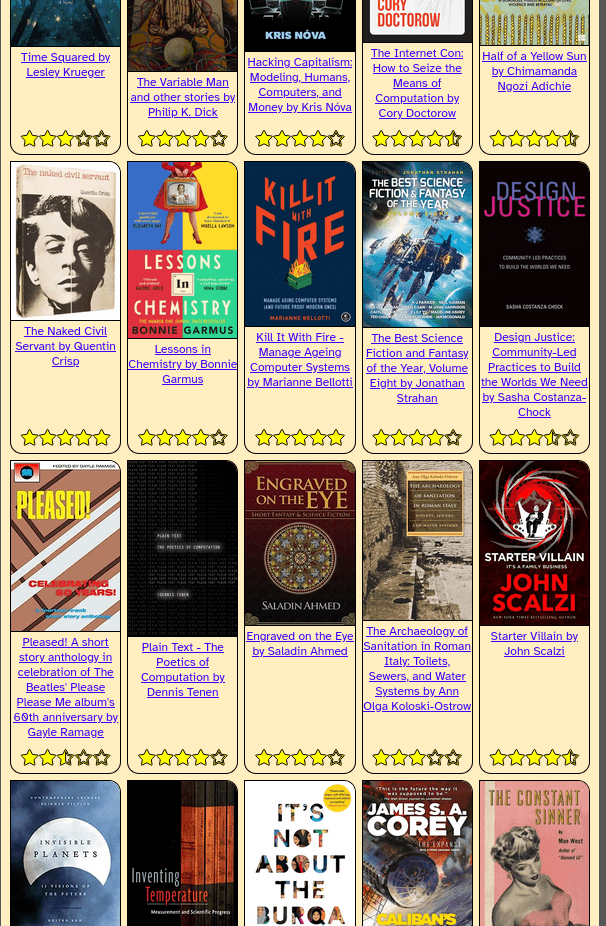
One of the things I love about having a database-backed blog like WordPress is that's it opens up a delightful range of possibilities for displaying content. I've read and reviewed around 300 books over the last few years. So I wrote a scrap of code which goes through all my book reviews, grabs their cover and rating, and displays them in a nice grid. You can visit it at shkspr.mobi/blog/library …
Continue reading →

Here's a quick scrap of code that works. There are lots of outdated tutorials out there for old versions of WordPress. This one is tested to be working in WordPress 6.3.2. This will pop up a confirmation dialogue when you try to publish, update, or schedule a post or page. The Code Add this to your theme's functions.php file: add_action( "admin_footer", "confirm_publish" ); function…
Continue reading →
WordPress allows you to set a featured image - called a "thumbnail" in the API. This gives a single image which can be used on a listing page, or shown when a post is shared on social media. The WordPress Media Library lets you set the alt text of an image. But, crucially, this alt text can be different when the image is used as a featured image. Here's how to find all your featured images…
Continue reading →
PHP has some pretty good error handling and logging, but I do sometimes find it confusing. For example, look at this warning message: [18-Oct-2023 12:34:56 UTC] PHP Warning: Something bad happened in /wp-content/something.php on line 123 OK, so we can go to something.php and scroll to line 123 and try to figure out what's gone wrong. But we don't know which page, post, or URl caused the error. …
Continue reading →
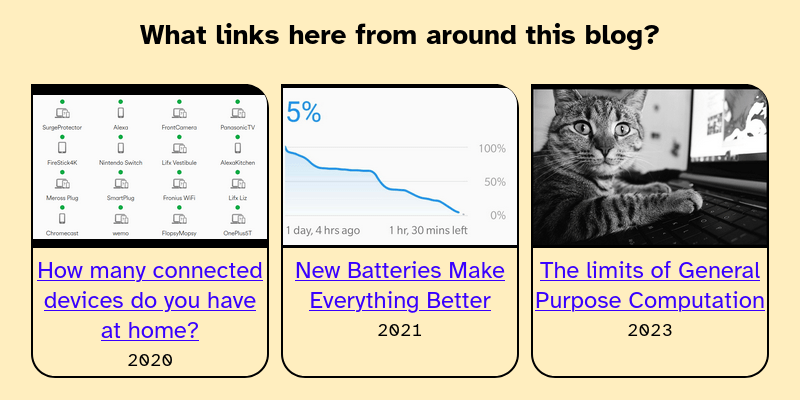
I have written a lot of blog posts. In some of those posts I link to other posts on my site. What's the easiest way of displaying those internal incoming links? Here's what it looks like: Code All we need to do is search WordPress for the URl of the current page. Loop through the results. Then display those links. $the_query = new WP_Query( array( 's' => get_the_permalink(), // …
Continue reading →
If you use WordPress, you can get a fairly basic embedded audio player by using the audio shortcode: [audio mp3="/path/to/file.mp3"] I didn't particularly like how it was styled so - because WordPress is so hackable - I changed it! Now my embedded audio looks like this: 🔊 Location Based QR Codes - Introducing http://xmts.mobi/🎤 edent 💾 Download this audio file. It gets a nice…
Continue reading →
This uses the wp shell command. It gives you an interactive prompt into which you can do various WordPress "things". One small annoyance is that it doesn't like multi-line entry. It treats every hit of the enter key as "plz run the codez" - so, at the end of this blog post, I've put the commands in copy-n-paste format. Once you've installed WP CLIP, go to the command line and run wp shell.…
Continue reading →
