
Here's a knotty problem. Lots of my posts use URl Fragments. Those are links which start with #. They allow me to write: <a href="#where-is-this-a-problem>Jump to heading</a> So when someone clicks on a link, they go straight to the relevant section. For example, they might want to skip straight to how to fix it. Isn't that clever? Where is this a problem? This works great when someone is…
Continue reading →
Some people like to receive this blog via email. I previously used JetPack to send out subscriber messages - but it became increasingly clear that Automattic isn't a good steward of such things. I couldn't find any services which would let me send a few thousand subscribers a few emails per week, at zero cost. So, redecentralise! I installed phpList which is an open source email campaign tool. …
Continue reading →

Why do so many vastly-wealthy tech personalities go mad? My ideal job involves being employed by a millionaire tech-bro. Just before they get on stage, or moments before they file a lawsuit, or an instant before they publish their thought leadership - I will appear to them. I will be dressed in rags, body smeared with excrement, weeping sores blotching my face. I will sidle up to them, lean…
Continue reading →
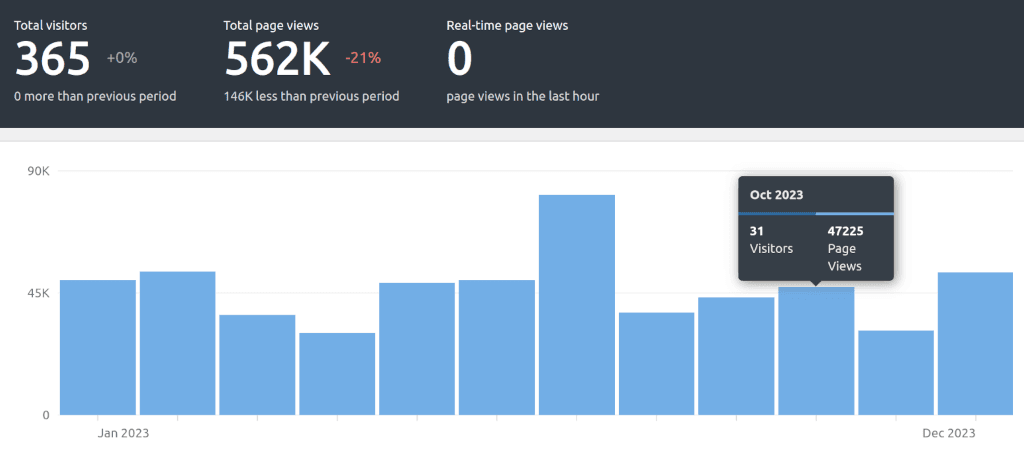
I've quit JetPack stats. I've moved to Koko Analytics. All the stats code is self hosted, it is privacy preserving, and the codebase is small and simple. But I am vain. I want all my old JetPack stats to appear in Koko so I can look back on the glory days of blogging. Koko has two main tables. The first is a summary table called wpbp_koko_analytics_site_stats : date visitors …
Continue reading →
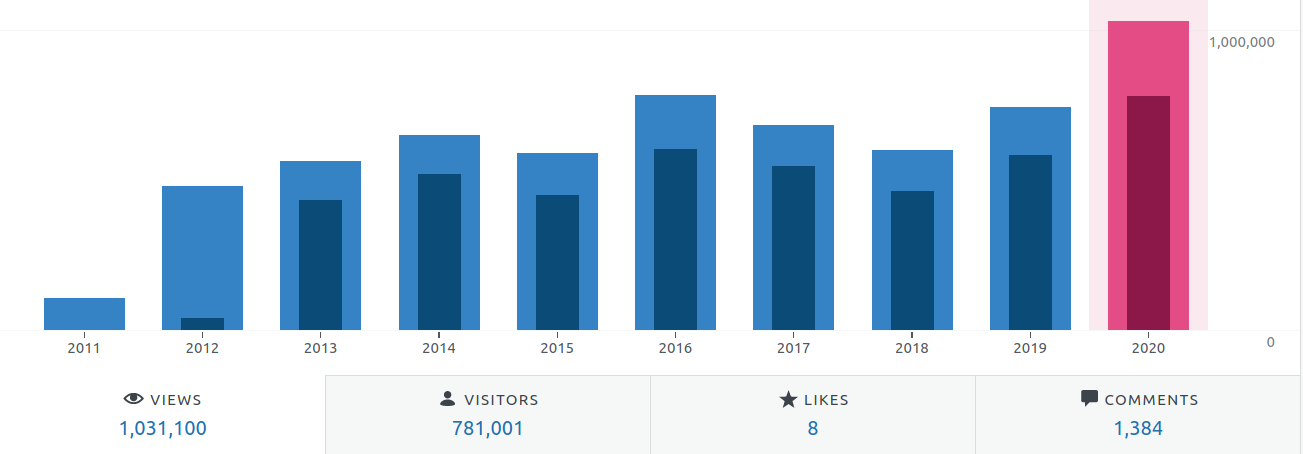
Because Ma.tt continues to burn all of the goodwill built up by WordPress, and JetPack have decided to charge a ridiculous sum for their statistics, I've decided to move to a new stats provider. But I don't want to lose all the statistics I've built up over the years. How do I download a day-by-day export of my JetPack stats? Luckily, there is an API for downloading all your JetPack stats! …
Continue reading →
As a dedicated and professional computer scientician, I believe that all indices must start at zero. Not one, not two, but zero. The zeroth element is sacrosanct to our creed; for in the beginning there was nothing. If you're using WordPress's JetPack, it uses an ancient version of Markdown Extra. You can either monkeypatch this, or install a separate Markdown plugin. I've patched my fork of…
Continue reading →

If your WordPress site has lots of plugins, it's sometimes difficult to keep track of what is manipulating your content. Ever wondered what priority all your various actions and filters have? This is a widget which will show you which actions are registered to your blog's hooks, and their priority order. It looks like this: Stick this code in your theme's functions.php or in its own plugin. …
Continue reading →
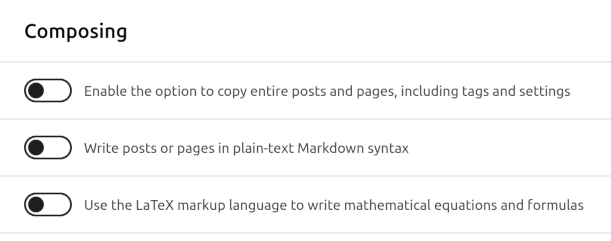
A scrap of code which I hope helps you. Problem You installed the WordPress JetPack plugin and wrote all your blog posts in Markdown. Now you want to remove JetPack or replace it with a better Markdown parser. You turn off JetPack's "Write posts or pages in plain-text Markdown syntax". You click edit on a post and see the HTML version of your page. Where did the Markdown version go? …
Continue reading →

I logged into Twitter using a fresh account last week. No followers, no preferences set. The default experience was an unending slurry of racism and porn. I don't care to use Twitter any more. Whatever good that was there is now drowned in a cess-pit of violent filth. I still have a lot of Tweets embedded on this blog. Using WordPress, it was easy to paste in a link and have it converted to an…
Continue reading →

I am a pedant. I like it when validators say "nothing to report". No errors, no warnings, no information messages. My blog is plagued with messages on the HTML validator saying Info: Trailing slash on void elements has no effect and interacts badly with unquoted attribute values. By default, the WordPress function get_the_post_thumbnail() spits out HTML like: <img width="1024" height="593" …
Continue reading →

HTML documents have the concept of an alternate representation of the document. For example, a page's header might say: <link rel="alternate" type="application/rss+xml" href="https://shkspr.mobi/blog/feed"> That tells you there's an alternative representation of the page, what sort of content it is, and where it is located. That's nice. But it's hard for a browser to tell the user what that…
Continue reading →
Hot on the heels of yesterday's post, I've now made all of this blog available in text-only mode. Simply append .txt to the URl of any page and you'll get back the contents in plain UTF-8 text. No formatting, no images (although you can see the alt text), no nothing! Front page https://shkspr.mobi/blog/.txt This blog post https://shkspr.mobi/blog/2024/05/link-relalternate-typetext-plain/.txt A …
Continue reading →
