
New! Read my 2018 guide to setting up the Evoluent in Linux The Evoluent Vertical Mouse 4 costs close to £100. Let's get that out of the way. This is a pretty expensive mouse. Considering they give away basic USB mice with cornflakes, why would anyone spend the cost of a Kindle on a pointing device? Let me explain... "The two things you've got to spend your money on in life are your bed …
Continue reading →

This is a sponsored post from ebuzzing I love my little Dell Laptop - it's served me well over the years. And it has become a magnet for stickers - some for companies who have long since gone bust! Recently, I've upgraded the hard disk to a pure solid state drive. The speed increase is incredible. Coupled with adding an extra GB of RAM, the machine is now faster than ever. It's just a pity that …
Continue reading →

I've been looking for a way to manage my backups. Burning DVDs and then leaving them around the house doesn't strike me as a sensible way to preserve my data any more. I just want a simple way to thrust my files onto the cloud with the minimum of fuss. The two big contenders I could find are Ubuntu One and Dropbox. Both allow me to map a drive and seamlessly sync my files just by copying them …
Continue reading →
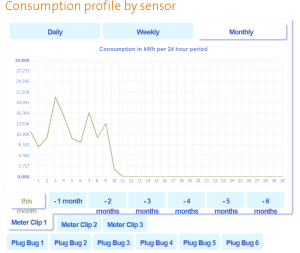
After my disastrous attempt to upload data under Ubuntu, I found a Windows laptop to upload my energy usage data. The good news is that Sam from Humm is actively working on making the Adobe Air upload application work under Linux. So, how does the process of uploading your data to the service work? All in one The Application is a real "one click" experience. It autodetects your SD card, sees…
Continue reading →

So, I've hit my first snag with the Humm Duet Energy monitor. As I mentioned in my first post, the device doesn't have any Internet connectivity. Instead it records everything onto an SD card. In order to visualise the data, I have to manually upload the files to the Green Energy Options MyEnergy site. Rather than a simple web based uploader - GEO have decided to go with Adobe Air as their pl…
Continue reading →

I'm continually frustrated with Nokia. They make truly excellent hardware but always seem to produce the most disappointing software. The N95 & the N810 are perfect examples of this. Powerful and innovative computers let down by shoddy software. So, when I heard that some clever hackers had ported Google's Android OS to the N810, I leapt at the chance to reinvigorate my sadly neglected…
Continue reading →

I've largely stayed out of the Apple sphere of influence. I'm stuck on Windows XP at work and use Ubuntu at home. The first - and last - Apple product I owned was a blueberry iMac. I think it may have had an early version of OS X on it. It was fun enough, but I eventually replaced the OS with YellowDog. Now I find myself in possession of a 16GB iPhone 3G. Nice! Or so I thought. For various …
Continue reading →
