
Hot on the heels of yesterday's post, I've now made all of this blog available in text-only mode. Simply append .txt to the URl of any page and you'll get back the contents in plain UTF-8 text. No formatting, no images (although you can see the alt text), no nothing! Front page https://shkspr.mobi/blog/.txt This blog post https://shkspr.mobi/blog/2024/05/link-relalternate-typetext-plain/.txt A …
Continue reading →

I've launched a WordPress Plugin for an extremely niche use-case. WP GeSHi Highlight Redux works with WordPress's Classic Editor to convert Markdown to syntax highlighted code. That allows me to write: ```php $a = "Hello"; $b = 5 * 2; echo $a . str($b); ``` And have it displayed as: $a = "Hello"; $b = 5 * 2; echo $a . str($b); I've previously written about the WP GeSHi Highlight plugin.…
Continue reading →

I was noodling around in PHP the other day and discovered that this works: <?php $🍞 = "bread"; echo "Some delicious " . $🍞; I mean, there's no reason why it shouldn't work. An emoji is just a Unicode character (OK, not just a character - but we'll get on to that), so it should be fine to use anywhere. Emoji work perfectly well as function names: function 😺🐶() { echo "catdog!"; } 😺🐶(); De…
Continue reading →
Because I'm a grumpy old man, I don't use Gutenberg or Block themes on my WordPress. Instead, I write everything in Markdown. When I write code snippets in Markdown, they look like this: ```php $a = 1; echo $a; if ($a < 5) { // Do Something return thing( $a, true ); } ``` But I want to render that with code highlighting. I was using the Prismatic Plugin. It is excellent and very…
Continue reading →

A few weeks ago, I built an ActivityPub Server in a Single PHP File. It's a proof of concept showing how easy it is to turn a website into a full-featured Fediverse participant. After a bunch of feedback and testing, I've added a some features to make it slightly more useful. A single PHP file - 45KB of no-library goodness. Just add your details, upload, and done. No databases. Everything…
Continue reading →
Any computer program can be designed to run from a single file if you architect it wrong enough! I wanted to create the simplest possible Fediverse server which can be used as an educational tool to show how ActivityPub / Mastodon works. The design goals were: Upload a single PHP file to the server. No databases or separate config files. Single Actor (i.e. not multi-user). Allow the Actor to…
Continue reading →
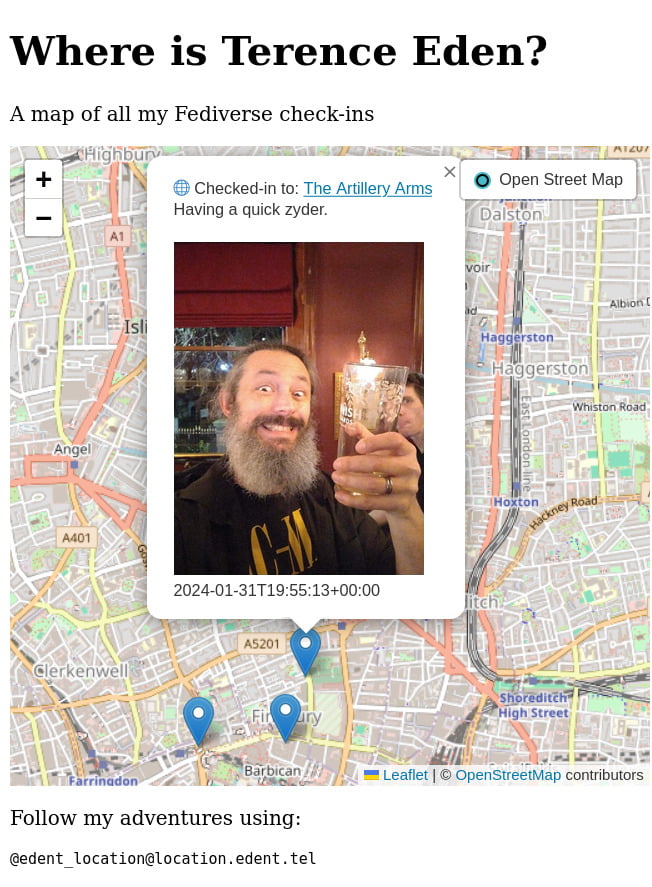
I've written an ActivityPub server which only allows you to post messages to your followers. That's all it does. It won't record favourites or reposts. There's no support for following other accounts or receiving replies. It cannot delete or update posts nor can it verify signatures. It doesn't have a database or any storage beyond flat files. But it will happily send messages and allow…
Continue reading →

I'm a little bit obsessed with building eInk displays. They're pretty cheap second hand. They're low energy, passive displays, with good-enough performance for occasional updates. Here's a new one which shows me what the current cost of my electricity is: Background After installing solar panels, a smart electricity meter, and a solar battery - the next obvious step was a smart energy…
Continue reading →

Here's a quick scrap of code that works. There are lots of outdated tutorials out there for old versions of WordPress. This one is tested to be working in WordPress 6.3.2. This will pop up a confirmation dialogue when you try to publish, update, or schedule a post or page. The Code Add this to your theme's functions.php file: add_action( "admin_footer", "confirm_publish" ); function…
Continue reading →
WordPress allows you to set a featured image - called a "thumbnail" in the API. This gives a single image which can be used on a listing page, or shown when a post is shared on social media. The WordPress Media Library lets you set the alt text of an image. But, crucially, this alt text can be different when the image is used as a featured image. Here's how to find all your featured images…
Continue reading →
PHP has some pretty good error handling and logging, but I do sometimes find it confusing. For example, look at this warning message: [18-Oct-2023 12:34:56 UTC] PHP Warning: Something bad happened in /wp-content/something.php on line 123 OK, so we can go to something.php and scroll to line 123 and try to figure out what's gone wrong. But we don't know which page, post, or URl caused the error. …
Continue reading →
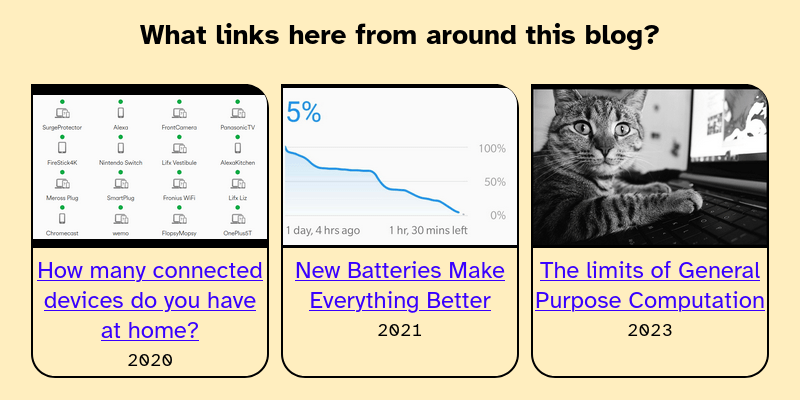
I have written a lot of blog posts. In some of those posts I link to other posts on my site. What's the easiest way of displaying those internal incoming links? Here's what it looks like: Code All we need to do is search WordPress for the URl of the current page. Loop through the results. Then display those links. $the_query = new WP_Query( array( 's' => get_the_permalink(), // …
Continue reading →
