
A few days ago, I wrote a shitty pretty-printer for PHP 8.4's new Dom\HTMLDocument class. I've since re-written it to be faster and more stylistically correct. It turns this: <html lang="en-GB"><head><title id="something">Test</title></head><body><h1 class="top upper">Testing</h1><main><p>Some <em>HTML</em> and an <img src="example.png" alt="Alternate Text"></p>Text not in an…
Continue reading →

Those whom the gods would send mad, they first teach recursion. PHP 8.4 introduces a new Dom\HTMLDocument class it is a modern HTML5 replacement for the ageing XHTML based DOMDocument. You can read more about how it works - the short version is that it reads and correctly sanitises HTML and turns it into a nested object. Hurrah! The one thing it doesn't do is pretty-printing. When you call…
Continue reading →
Some of my blog posts are long. They have lots of HTML headings like <h2> and <h3>. Say, wouldn't it be super-awesome to have something magically generate a Table of Contents? I've built a utility which runs server-side using PHP. Give it some HTML and it will construct a Table of Contents. Let's dive in! Table of ContentsBackgroundHeading ExampleWhat is the purpose of a table of…
Continue reading →

WordPress does not respect an admin's preferred date format. Here's how the admin list of posts looks to me: I don't want it to look like that. I want it in RFC3339 format. I know what you're thinking, just change the default date display - but that only seems to work in some areas of WordPress. It doesn't change the column-date format. Here's what mine is set to: So that doesn't work. …
Continue reading →
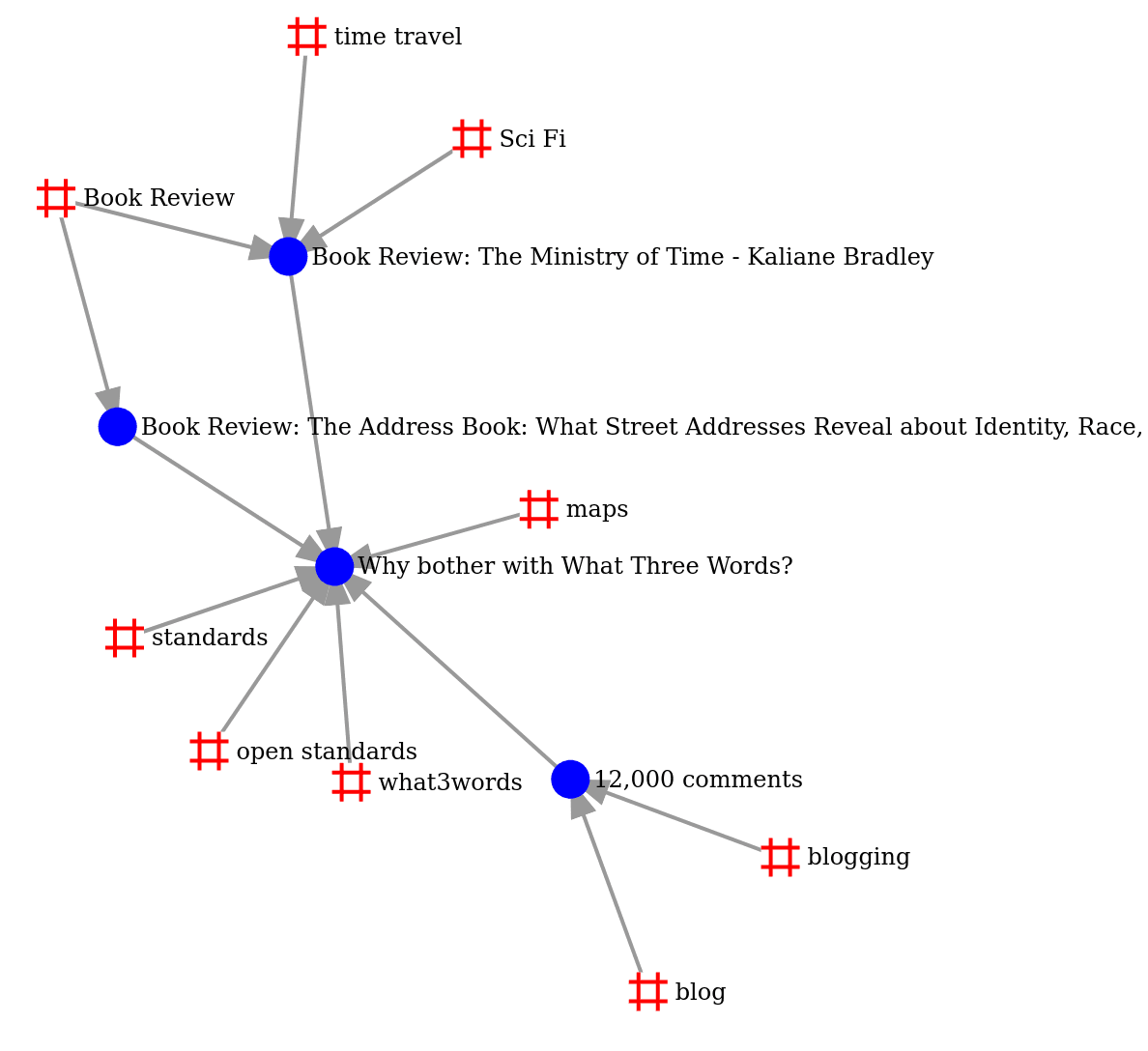
I love ripping off good ideas from other people's blogs. I was reading Alvaro Graves-Fuenzalida's blog when I saw this nifty little force-directed graph: When zoomed in, it shows the relation between posts and tags. In this case, I can see that the posts about Small Gods and Pyramids both share the tags of Discworld, Fantasy, and Book Review. But only Small Gods has the tag of Religion. …
Continue reading →
I take great delight in seeing people reply to my blog posts. I use WebMentions to collect replies from social media and other sites. But which of my posts has the most comments? Here's a snipped to stick in your functions.php file. It allows you to add ?comment-order to any WordPress URl and have the posts with the most comments on top. // Add ordering by comments add_action( 'pre_get_posts', …
Continue reading →

Here's a knotty problem. Lots of my posts use URl Fragments. Those are links which start with #. They allow me to write: <a href="#where-is-this-a-problem>Jump to heading</a> So when someone clicks on a link, they go straight to the relevant section. For example, they might want to skip straight to how to fix it. Isn't that clever? Where is this a problem? This works great when someone is…
Continue reading →
Threads is Meta's attempt to disrupt the social media landscape. Whether you care for it or not, there are a lot of users there. And, sometimes, you have to go where the audience is. Here's how I build a really simple PHP tool to post to Threads using their official API. This allows you to send a single status update programatically, or regularly send new items from your RSS feed to an account. …
Continue reading →
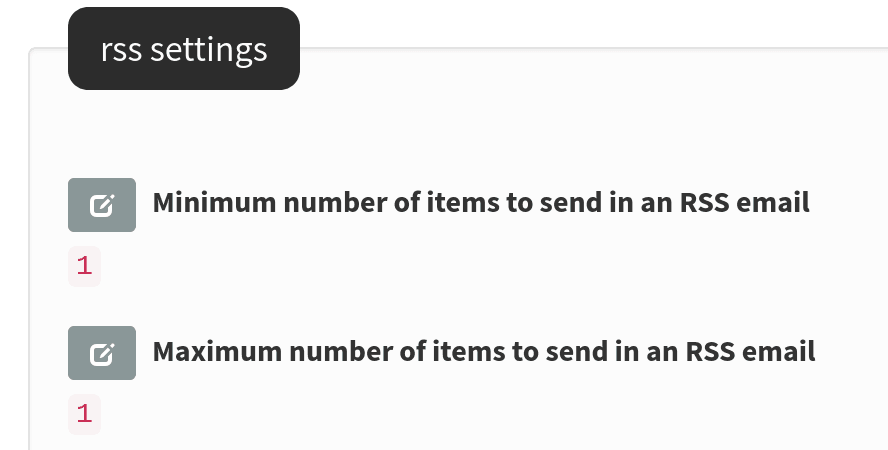
Some people like to receive this blog via email. I previously used JetPack to send out subscriber messages - but it became increasingly clear that Automattic isn't a good steward of such things. I couldn't find any services which would let me send a few thousand subscribers a few emails per week, at zero cost. So, redecentralise! I installed phpList which is an open source email campaign tool. …
Continue reading →

If your WordPress site has lots of plugins, it's sometimes difficult to keep track of what is manipulating your content. Ever wondered what priority all your various actions and filters have? This is a widget which will show you which actions are registered to your blog's hooks, and their priority order. It looks like this: Stick this code in your theme's functions.php or in its own plugin. …
Continue reading →
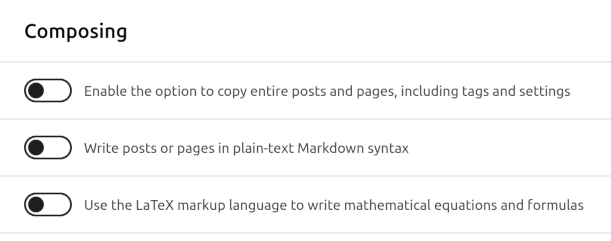
A scrap of code which I hope helps you. Problem You installed the WordPress JetPack plugin and wrote all your blog posts in Markdown. Now you want to remove JetPack or replace it with a better Markdown parser. You turn off JetPack's "Write posts or pages in plain-text Markdown syntax". You click edit on a post and see the HTML version of your page. Where did the Markdown version go? …
Continue reading →
Dan Q very kindly shared his script to make WordPress do good HTML. But I couldn't get it working. Looking at the HTML it was spitting out, the meta generator said it was HTML Tidy version 5.6.0. That's quite old! I confirmed this by running: echo tidy_get_release(); Which spat out 2017/11/25. Aha! There are a few bugs in this version of HTML Tidy, some of which are fixed in later…
Continue reading →
