
Remember World of Goo? The hit game that you loved on the Nintendo Wii? It was all the rage in 2009: .social-embed{all:unset;display:block;}.social-embed * {all:unset;display:revert;}.social-embed::after{all:unset;}.social-embed::before{all:unset;}blockquote:not(*){all:unset;}.social-embed a{cursor:pointer;}blockquote.social-embed{box-sizing:border-box;border:.5px…
Continue reading →

Several years ago, I purchased a Clevo N151CU laptop with the idea that I'd gradually upgrade the RAM, storage, and other bits. After my keyboard failed, I found it difficult to find replacement parts. The whole point of the Framework laptop is that it is specifically designed to be modular. It come in kit form, is easy to disassemble, and is (reasonably) well supported by an ecosystem of…
Continue reading →
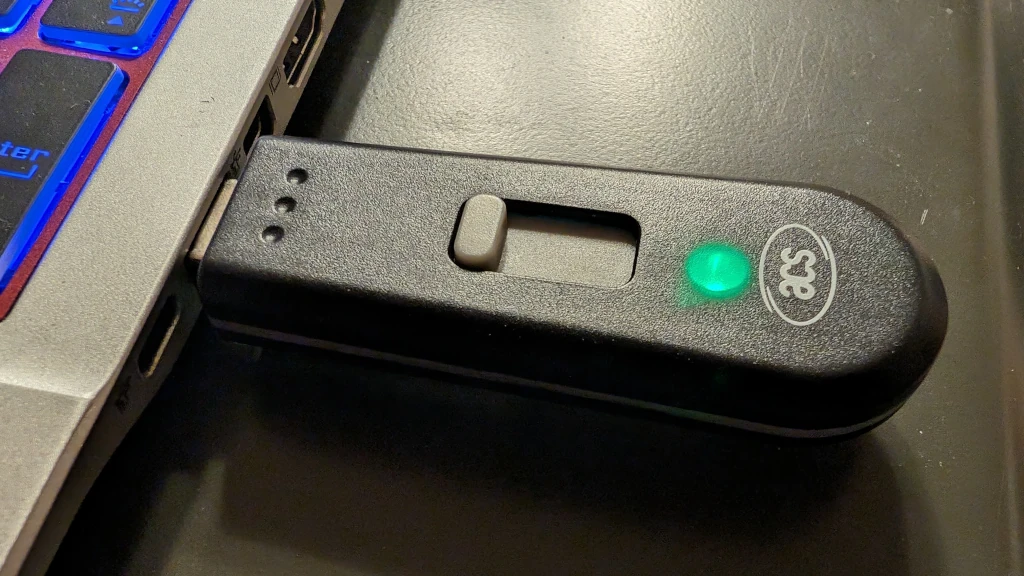
Recap - I want to build an NFC reader expansion card for the FrameWork laptop. So I've bought a couple of components. This is the ACR1251T-E2 - it's a USB pen-drive sized NFC reader with a side-out USB-A plug. Costs about £40. There's a recessed green LED which flashes to let you know that it is working. It doesn't beep or vibrate when it detects an NFC token. It is a little bit tricky …
Continue reading →

Recap - I want to build an NFC reader expansion card for the FrameWork laptop. So I've bought a couple of components. This is the ACM1252U-Z2 and Oh! It is a dinky little component! The only sign that it is working is a flashing green LED. There's no buzzer on the board. It really is a tiny thing. Side on it is almost invisible. Does it work with Linux? Oh yes! It has a Micro-USB port, so…
Continue reading →

My Linux laptop used to suspend perfectly. I'd close the lid and it would go to sleep. Open it up, it would spring to life - presenting me with a password screen. But, some time in the last few months, it has stopped doing that. If I close the lid, it keeps running. This is unhelpful. If I manually run the suspend command - systemctl suspend - the laptop blanks the screen then immediately…
Continue reading →
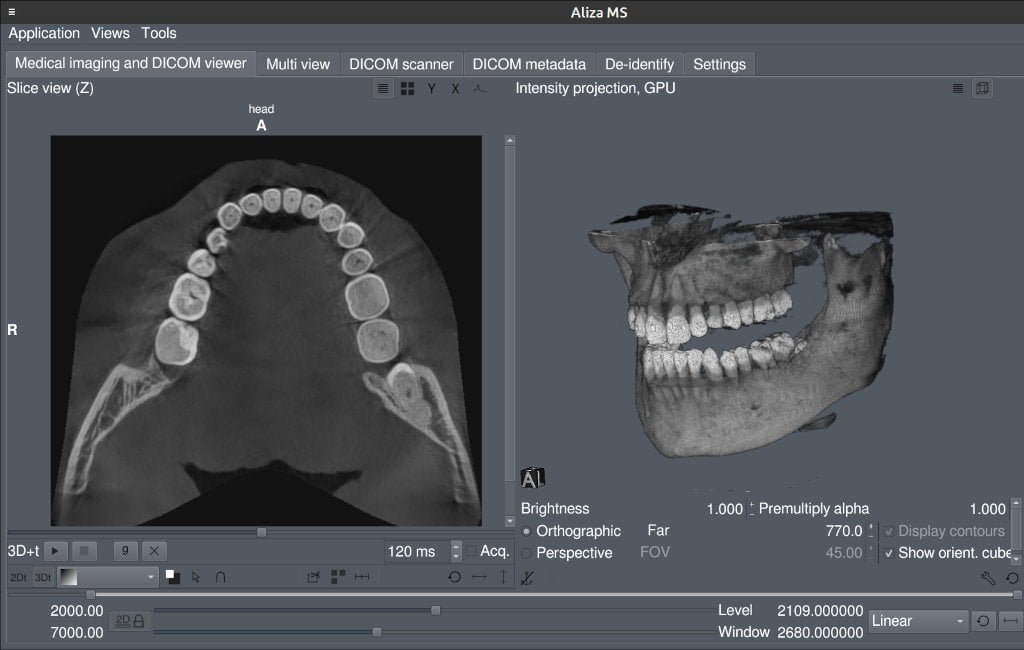
Several years ago, I had a CT scan of my jaw. The dentist wasn't sure if she was allowed to give me a copy of the scan, which led me to ask "who owns the copyright to my medical images?" I still don't have an answer to the copyright question - but I do now have a copy of a CT scan! Last week - following some dental trauma - I had another scan of my head. The dentist took great delight in…
Continue reading →

I needed to read and write NFC cards on Linux. I only buy USB-C peripherals now, so I found the brilliantly named "ACR1252U-MF" which appears to be the only USB-C reader on the market. Total cost was about £35 on eBay. It's a cheap and light plastic box with a short USB cord. When you plug it in, there's a flashing light which can't be disabled. When it is powered up, or it detects and NFC chip, …
Continue reading →
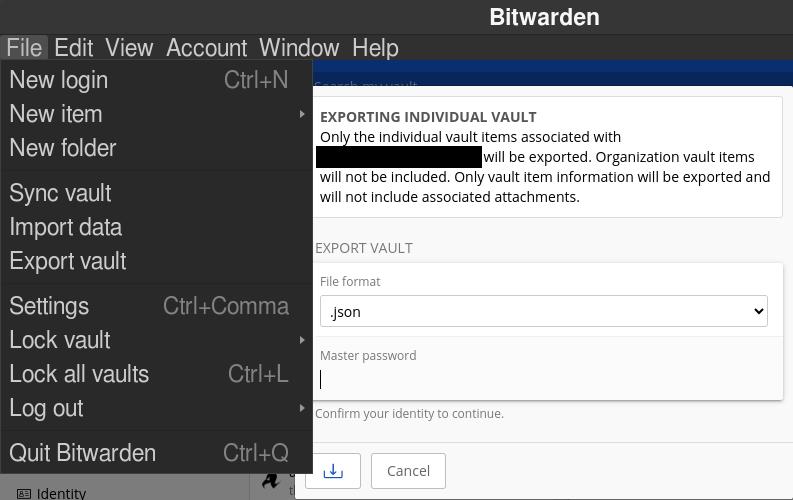
I highly recommend BitWarden as a password manager. It is free, open source, and has a great range of apps and APIs. The one thing it doesn't have is a way to sort your accounts by creation date. I now have over a thousand accounts that I've added - so I wanted to prune away some of the older ones. So, here's how to do it. Export your vault In the desktop version of BitWarden, go to File → E…
Continue reading →

Four years ago, I got the Iiyama ProLite 24" Vertical Screen. But as my eyes grow dimmer and my hind-brain desires upgrades, I splurged on the (stupidly named) Iiyama ProLite XUB2893UHSU-B5. It is well lush! Thin bezel around 3 sides. Excellent viewing angle when vertical. A decent array of video ports and USB. And fairly wallet friendly £280. There's a lot of screen for your money. (Yes, I …
Continue reading →
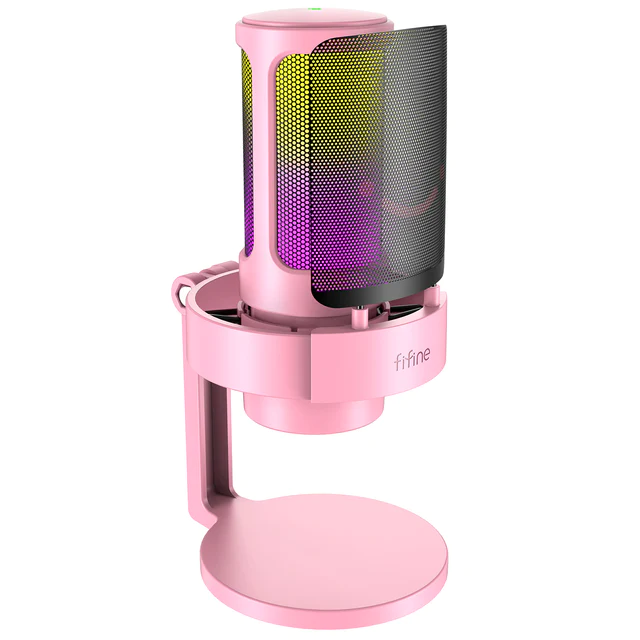
The good folks at Fifine have sent me this neat little microphone to review. Unboxing Sound Quality Writing about microphones is like painting about flavour. So here's what it sounds like: 🔊 💾 Download this audio file. No noticeable hiss. Captured my voice perfectly. It picked up a little clack from my keyboard as I typed. Colleagues could hear me clearly - even if they were som…
Continue reading →

Quite often websites will encourage you to copy and paste commands into your terminal. There are a variety of reasons why this is bad - not least because someone could hide malicious code. That's usually done with a bit of CSS to make the evil command invisible, or using Javascript to inject something unwanted into your keyboard. Here's method that I hadn't seen before. Copy this code and paste …
Continue reading →
I love my Linux laptop. But, once in a while, it forgets it has a keyboard. I wake it from a little nap and it's all like "no, sir! no keyboards here! just use a mouse please!" Logging in is pretty simple. Pop_OS has an on-screen keyboard which lets me hunt-n-peck P4ssW0rd123! into the box. But then I'm stuck. I can launch apps - but I can't type into them. The on-screen keyboard only seems…
Continue reading →
