
How do you know you're looking at an old website? You may have found a page which has lots of interesting information, but how can you tell it's a modern and relevant result? Some websites don't contain dates in their URls. There may not be a © date or publication date shown on the page. And the <meta> tags might not contain anything useful. If you're lucky, the site will look old fashioned: …
Continue reading →

Yesterday I wrote about a lazy way to implement a manual dark mode chooser. Today I'll show you a slightly more sensible way to do it. It just uses CSS, no need for JavaScript. Here's a scrap of HTML which present a dropdown for a user to choose their colour scheme: <select id="colour-mode"> <option value="">Theme Selector</option> <option value="dark">Dark Mode</option> <option…
Continue reading →
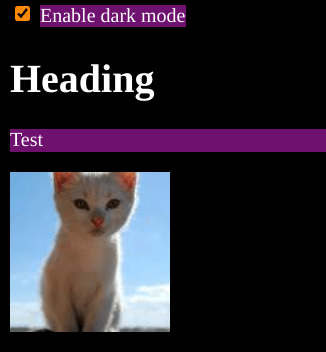
I'm not saying this is a good way to make a dark mode website. I'm not even saying it's a sensible way to do dark mode. But I'm pretty sure this is the laziest way of getting dark mode on your site. And it is all done with less than a handful of CSS rules. It relies on the new-ish :has() CSS pseudo class and the positively ancient filter() CSS function. Here's the code in all its glory: …
Continue reading →

Quite often websites will encourage you to copy and paste commands into your terminal. There are a variety of reasons why this is bad - not least because someone could hide malicious code. That's usually done with a bit of CSS to make the evil command invisible, or using Javascript to inject something unwanted into your keyboard. Here's method that I hadn't seen before. Copy this code and paste …
Continue reading →

If you use WordPress's HTML5 comments, there's an annoying little gotcha. There's a four year old bug which prevents client-side form validation. HTML allows <input> elements to have a required attribute. In theory, that means the form shouldn't submit until the input is filled in. Sadly, WordPress uses novalidate on the form - as the name suggests it stops any validation. But! WordPress is…
Continue reading →

If you've ever learned Mandarin Chinese, you'll know about "measure words". They're the sort of thing that trip up all new learners of the language. While 个 (gè) can be used as a generic measure word, using it everywhere makes you sound like an idiot (according to my old teacher). So you learn to use 个 for people, 包 for packets, and 根 for things which are long and thin. English has a similar con…
Continue reading →
There's a new HTML element in town! You can now use <search> to semantically mark up a search box. It's great for letting screen-readers and other assistive tech know what a form does. It's only supported in WebKit for now - other browsers will get it eventually. The WordPress default search widget hasn't yet updated, but I'm going to show you how you can start using it today! In your theme,…
Continue reading →

In linguistics, a "False Friend" is a word which looks similar in multiple languages, but means something different in each of them. For example the word "gift" in English means "a present", in German means "poison", and in Norwegian it means "married". The Internet uses Top Level Domains (TLD) to organise information into hierarchies. This website uses .mobi - you may also be familiar with .com …
Continue reading →

As part of my never-ending quest to banish this skeuomorph from the world… I was reading a fascinating eBook recently which was, sadly, designed to mimic a legacy / paper book. To the point where the authoring software had hard-coded in page numbers and forced them to be displayed. Here's what it looked like: There are two abominations here. There's no need to interrupt the reading e…
Continue reading →

Every day is a school day. I'd recently seen a post about highlighting images without alt text. That got me thinking. Is it possible to style alt text? Yes. Yes it is. And it's pretty simple. Well, OK, it's CSS, so simple is a relative term! Let's take a broken image like <img src="http://example.com/bigfoot.jpg" alt="The best quality photo of bigfoot!" /> There are two slightly different…
Continue reading →

Originally posted as part of HTML Hell's advent calendar. While browsing Mastodon late one night, I came across this excellent blog post called HTML is all you need to make a website. It describes a few websites which are pure HTML. No CSS and no JS. And I thought… do you even need HTML to make a website? A few hours later, I launched the NO-HT.ML website. Proving, once and for all, that you d…
Continue reading →

Facebook Meta - like many other tech titans - has institutional Shiny Object Syndrome. It goes something like this: Launch a product to great fanfare Spend a few years hyping it as ✨the future✨ Stop answering emails and pull requests If you're lucky, announce that the product is abandoned but, more likely, just forget about it. Open Graph Protocol (OGP) is one of those products. The val…
Continue reading →
