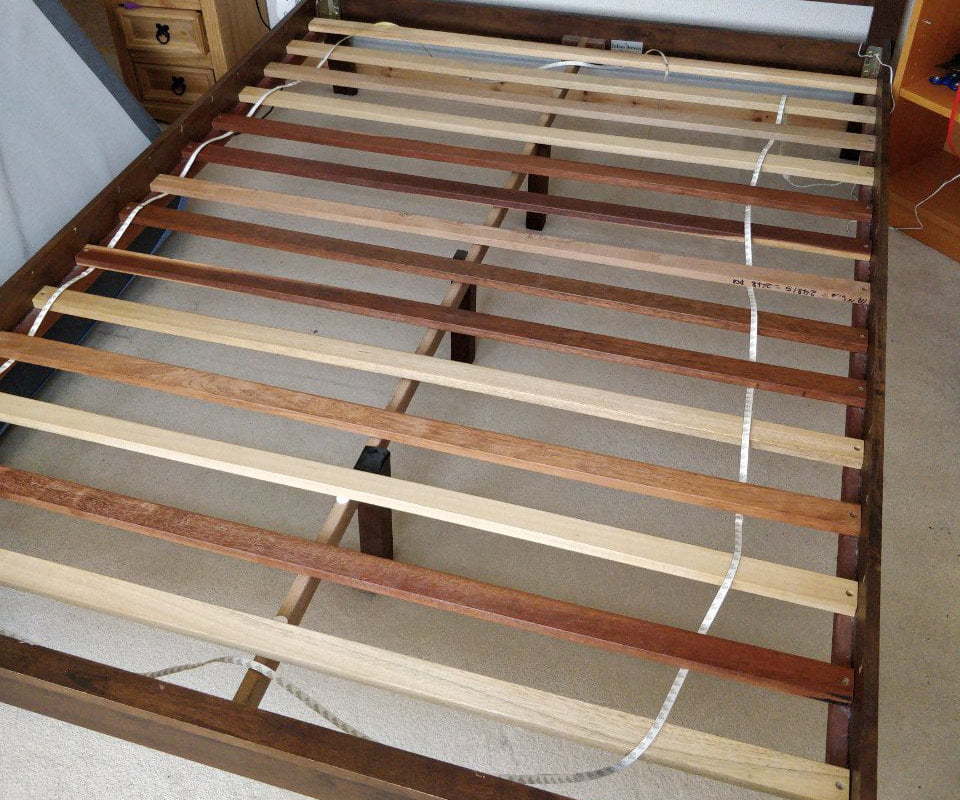
When we moved house, we found the previous owners had installed under-cupboard lighting in the kitchen. It uses basic and cheap 12V LED strips. The strips are flexible and have glue on the back. We didn't like them in the kitchen. So we tried them on the stairs. Terence Eden is on Mastodon@edentTrying to work out where I want LED strips.The "aeroplane emergency lighting" look on the stairs…
Continue reading →

Twitter's search interface has all sorts of lovely and obscure options. My three favourites are "min_retweets:", "min_replies:", and "min_faves:" Using those filters, you can create a search for Tweets which meet a certain threshold. For example, here are my Tweets which have been liked more than 500 times: twitter.com/search?q=from:edent min_faves:500 Here are the ones which have been…
Continue reading →

I've got a new laptop which runs Linux! These are mostly notes to myself. Fonts First, from the console, install Gnome Tweaks sudo apt install gnome-tweaks Run Tweaks and select "Fonts". You can swap fonts, boost them, and generally have a good fiddle. Increasing the scaling factor is a good way to boost the size of all desktop elements. Bluetooth - rename By default the Bluetooth name is …
Continue reading →
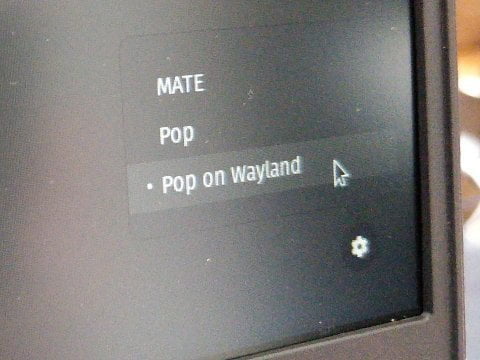
I have a vertical monitor for my new Linux laptop. Because it is rotated 90 degrees, this causes problems with some graphics drivers on Linux (and Mac!). Here's a solution I found for my Intel graphics card. Edit this file: sudo nano /etc/gdm3/custom.conf Find this line: WaylandEnable=false Change it to: #WaylandEnable=false Reboot. On Pop!_OS, there is this settings cog in the bottom…
Continue reading →

I can't find these instructions anywhere online - so I hope these notes help! The AS302P SMETS2 has two buttons. I've labelled the top button A and the bottom button B. Press the A button once to bring up the menu. The display should light up. It should show "General". Press the B button. This scrolls down the display. Press it a couple of times until it says "Registers". If you go past it, …
Continue reading →

Problem: I have a multiline string - not a file - and I want to remove the first few lines from it and keep the rest. I found this surprisingly unintuitive. So these are notes in case I want to do it again. Feel free to suggest a better way! Example Given this input: $str = "Once upon\nA Time\nLived a big\nDragon\nCalled Cuthbert."; I want the output to be: "Dragon\nCalled Cuthbert." …
Continue reading →
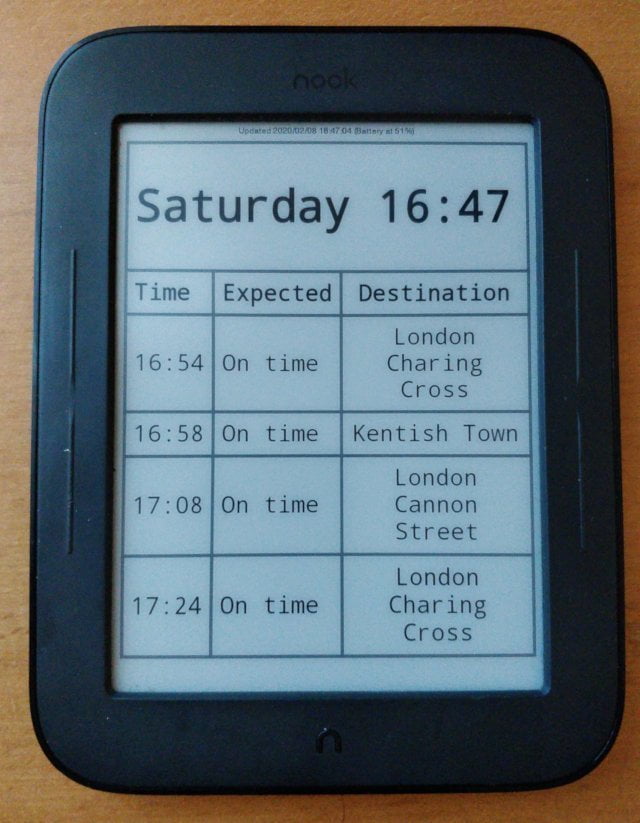
Here's a quick tutorial for turning an old Nook into a passive display. This is an update to my 2013 post End Result An eInk screen which displays the trains I can catch from my local station. It shows the next few available trains, and whether they're delayed. It also shows how long until the next local bus to the train station. Updating the Nook Before doing anything, manually update the …
Continue reading →

You can't post raw audio to Twitter directly. It sucks. Sure, you can post links to audio, but it's not quite the same. Here's a couple of Linux one-liners which will turn audio into simple video suitable for uploading to social media. Waves This converts audio to a waveform: ffmpeg -i input.mp3 -filter_complex "[0:a]showwaves=s=640x480:mode=line,format=yuv420p[v]" -map "[v]" -map 0:a -c:v…
Continue reading →

I hate creating Alexa skills. What should be a 3-click process inevitably ends up requiring trips to multiple websites, to set up weird parameters, and reading outdated tutorials for obsolete libraries. So this is how to create a self-hosted Skill, using PHP. It runs on your own server and doesn't require any interaction. The Skill At a basic level, all your website has to do is spit out a…
Continue reading →

I want to convert YouTube's auto-generated subtitles into a plain transcript. Why is this so hard? This blog post gives a more detailed explanation than my answer to this StackOverflow question. Here's what the subtitles look like when you view a video: And here's what the code which generates those subtitles looks like: 00:00:00.930 --> 00:00:03.080 align:start position:0% …
Continue reading →

This is a quick guide for setting up your new mouse with Ubuntu. I'm a big fan of the Evoluent Mouse range, and I've agreed to publish this Linux guide in return for a review sample. The Basics The only way to configure this mouse is via the command-line. This may look a bit daunting, but I promise you it's simple. Just copy and paste the highlighted code. Open up a Terminal. You'll usually…
Continue reading →
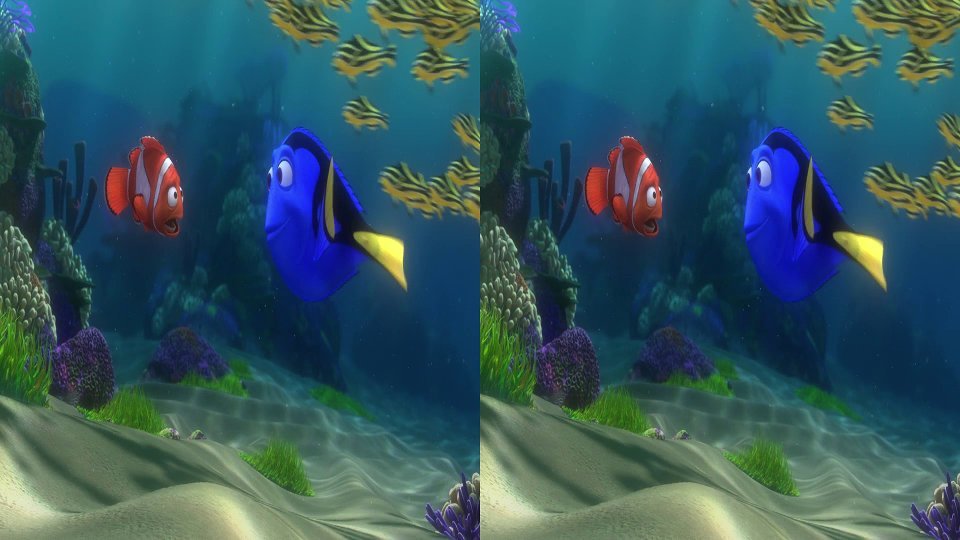
Here's an interesting conundrum. My TV can automatically detect when 3D video is being played and offers to switch into 3D mode - but how does the detection work? This post will give you a few strategies for detecting 3D images using Python. Firstly, some terminology. 3D videos are usually saved either as Side-By-Side images, or Over-Under images. Colloquially known as H-SBS and H-OU. Here's …
Continue reading →
