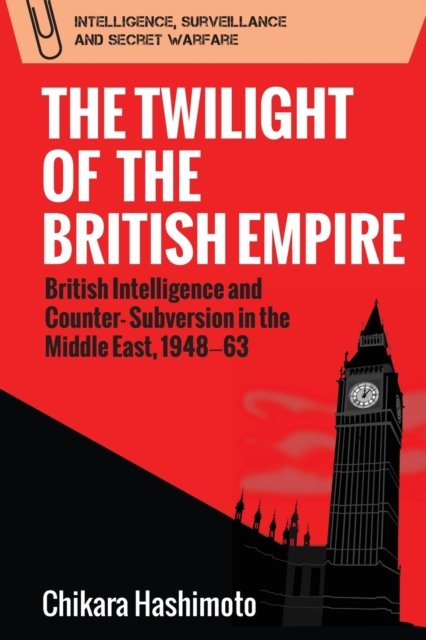
As the Middle-East convulses in yet another bloody war, and with no end in sight to the barbarity, we're all looking for a way to understand the horrors unfolding. So I went searching in the past. What set the seeds of today's conflict and was there any way to prevent it? This is a dispassionate and, it has to be said, dry look at how the British intelligence agencies operated in the region…
Continue reading →

All USB-C cables are equal. But some, as the saying goes, are more equal than others. This little gadget from Plugable is a fantastic bit of kit. Plug your USB-C power supply into one end of the gadget, plug the gadget in to your laptop, phone, or any other USB-C device. Watch the screen to see how much power is flowing. Action Shot …
Continue reading →

Imagine a world with inter-city rockets, where tourists still use film cameras. Where self-driving trucks sport a wide array of sensor apparatus and record all their data onto miles of magnetic tape. Where the latest Androids are life-like and can perfectly clone a dead man's speech, yet are powered by punch-cards. People make video calls from public booths which eagerly accept coins as payment. …
Continue reading →

Yesterday I wrote about a lazy way to implement a manual dark mode chooser. Today I'll show you a slightly more sensible way to do it. It just uses CSS, no need for JavaScript. Here's a scrap of HTML which present a dropdown for a user to choose their colour scheme: <select id="colour-mode"> <option value="">Theme Selector</option> <option value="dark">Dark Mode</option> <option…
Continue reading →
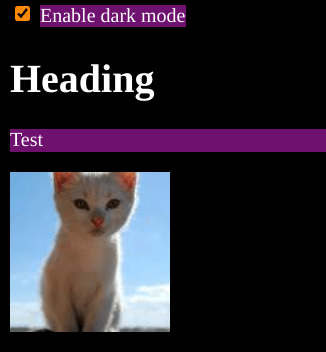
I'm not saying this is a good way to make a dark mode website. I'm not even saying it's a sensible way to do dark mode. But I'm pretty sure this is the laziest way of getting dark mode on your site. And it is all done with less than a handful of CSS rules. It relies on the new-ish :has() CSS pseudo class and the positively ancient filter() CSS function. Here's the code in all its glory: …
Continue reading →

As I mentioned last week, MoneyDashboard is shutting down. They are good enough to provide a JSON export of all your previous transactions. It is full of entries like this: { "Account": "My Mastercard", "Date": "2020-02-24T00:00:00Z", "CurrentDescription": null, "OriginalDescription": "SUMUP *Pizza palace, London, W1", "Amount": -12.34, "L1Tag": "Eating Out", …
Continue reading →

I quite like the new Outlook for Windows. But it has a couple of annoying bugs. One of which is, when it is maximised it doesn't let you unhide your bottom task bar. I've set up Windows so the taskbar disappears whenever my cursor isn't at the bottom of the screen. When my mouse touches the bottom, the bar appears. Lovely! But Outlook breaks this functionality - which I'm pretty sure existed…
Continue reading →

A few weeks ago I was moaning about there being no OpenBanking API for personal use. Thankfully, I was wrong! As pointed out by Dave a company called Nordigen was set up to provide a free Open Banking service. It was quickly bought by GoCardless who said: We believe access to open banking data should be free. We can now offer it at scale to anyone - developers, partners and Fintechs - looking…
Continue reading →

Here's a quick scrap of code that works. There are lots of outdated tutorials out there for old versions of WordPress. This one is tested to be working in WordPress 6.3.2. This will pop up a confirmation dialogue when you try to publish, update, or schedule a post or page. The Code Add this to your theme's functions.php file: add_action( "admin_footer", "confirm_publish" ); function…
Continue reading →

WordPress allows you to set a featured image - called a "thumbnail" in the API. This gives a single image which can be used on a listing page, or shown when a post is shared on social media. The WordPress Media Library lets you set the alt text of an image. But, crucially, this alt text can be different when the image is used as a featured image. Here's how to find all your featured images…
Continue reading →

I'm big enough to admit when I make a mistake. A few days ago I had a bit of a rant on Mastodon about how PayPal was encouraging browsers to remember 2FA codes. I'd tried to log in to PayPal, went to enter my 2FA code and was presented with this: But, this isn't PayPal's fault! Let's take a look at the code behind each input: <input name="otpCode-0" id="ci-otpCode-0" …
Continue reading →
PHP has some pretty good error handling and logging, but I do sometimes find it confusing. For example, look at this warning message: [18-Oct-2023 12:34:56 UTC] PHP Warning: Something bad happened in /wp-content/something.php on line 123 OK, so we can go to something.php and scroll to line 123 and try to figure out what's gone wrong. But we don't know which page, post, or URl caused the error. …
Continue reading →
