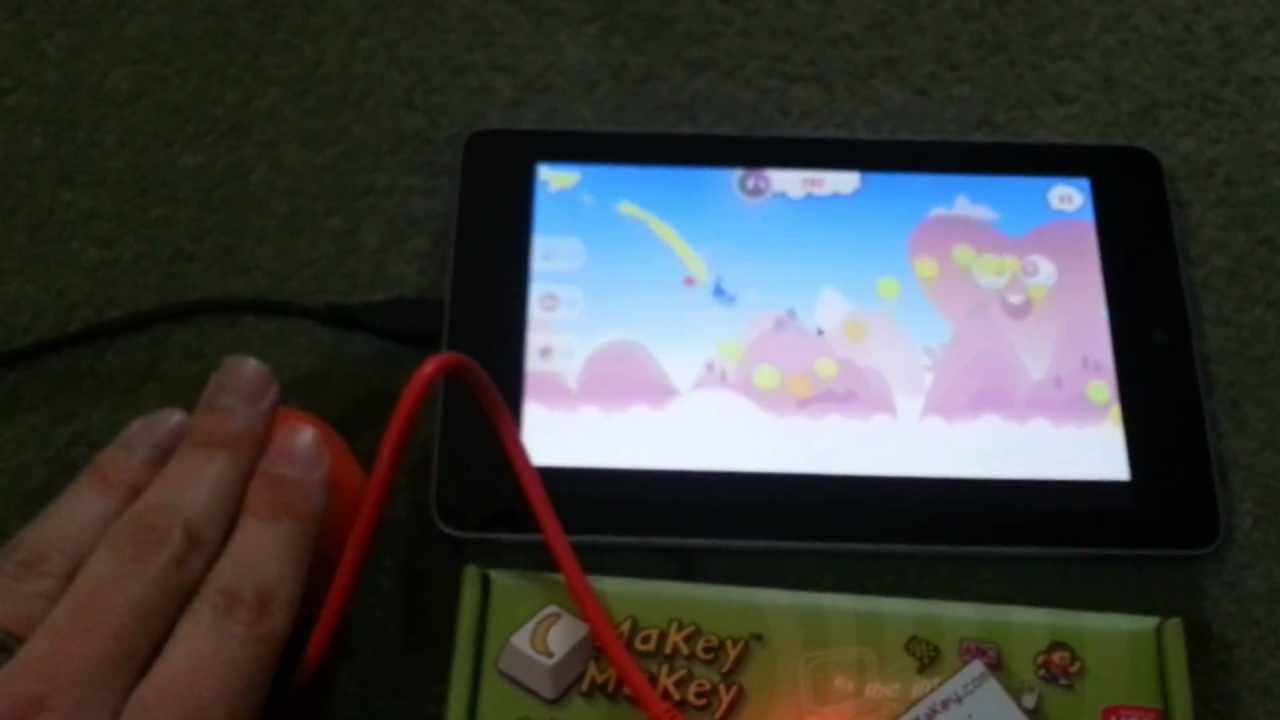
I recently got a MakeyMakey. It's a sort of ersatz USB keyboard that can be plugged into anything electrically conductive. I blogged about using it to control my Raspberry Pi using fruit and veg. I also blogged about controlling Android using a USB keyboard and mouse via a USB OTG cable. Hang on... the MakeyMakey is USB... Android can be controlled via USB... CAN I CONTROL MY ANDROID WITH…
Continue reading →
This is a bit of a brain dump of how I got a 3G USB dongle working on the Raspberry Pi. Following on from getting the Raspberry Pi to send SMS. That's The Power Of Love The first thing to say is use a powered USB hub! I had lots of problems getting the modem working when it was plugged directly into the Pi. A 3G signal takes more power than the Pi's USB sockets can supply. In the above…
Continue reading →

Last year, I wrote about how Authentec wouldn't support their fingerprint readers on Linux. I've been chatting to the good folk at Authentec, and they've agreed to release the specification documents! So if you want to code up an interface for the AES2810 or AES2550 you can! A word of note, the best way to get the latest version of these documents is to register for the Authentec Developer…
Continue reading →
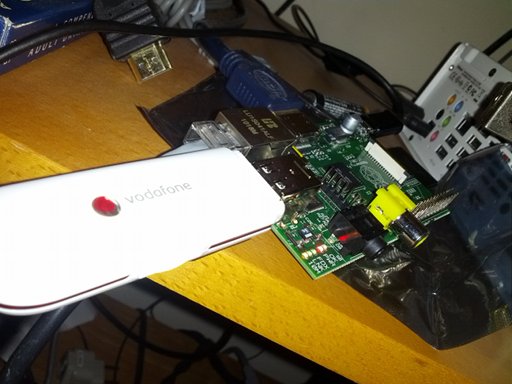
This is a bit of a brain dump / diary of what I've discovered about using 3G dongles to send SMS using Python on the Raspberry Pi. Here is how to use Python to send an SMS from the Raspberry Pi via a 3G USB dongle. In order to talk to the dongle, we need to install pyserial wget http://pypi.python.org/packages/source/p/pyserial/pyserial-2.6.tar.gz gunzip pyserial-2.6.tar.gz tar -xvf…
Continue reading →
Cracking on with my Raspberry Pi, I've written my first program in Python. The aim - to be able to send an SMS via a 3G USB dongle. The problem - the way SMS needs to be encoded is hideously complicated. For example, suppose you want to send "This is a very simple message :-)" to the phone number +447700900123. This is the command that you need to send to your dongle: AT+CMGS=42…
Continue reading →

(I think I'm the first person to try this - so I decided to document the process.) A few weeks ago, I won a Raspberry Pi at the #OTA12 hackday. It arrived on Friday, so I thought I would turn it into an SMS server using the incredible FrontlineSMS. 0. Setting up the Pi This is the easy part. Follow the excellent guide on the eLinux wiki. Essentially, download the Debian image, extract, and dd…
Continue reading →

Here's a simple way to copy files to and from your BlackBerry PlayBook when you're using Ubuntu. This should work with any form of Linux. This is a step-by-step tutorial with screenshots. On The PlayBook Plug your PlayBook into your Linux computer using a USB cable. You may see this screen (or similar) you can dismiss it. In the Settings menu, scroll down to "Storage & Sharing". Ensure…
Continue reading →

This is a review of the Y-Cam Knight SD. I previously reviewed the Y-Cam S in 2009. I got this camera for a 30% discount thanks to Y-Cam's social media team. Adjust your bias filters accordingly. Unboxing Linux Set Up To set the camera up, you need to use its internal webserver. So, how can you find out the IP address of the camera? Use the provided network cable to connect the…
Continue reading →

This is a quick tutorial to show you how to rip DVDs on a headless server. That is; one which only has command line access. The documentation for MakeMKV is available. It's a bit sparse. It also doesn't have many of the features of the GUI. For example, the GUI allows you to select which video, audio, and subtitles, you want to copy. So if you only want the original German director's…
Continue reading →

(These notes are mostly for my own benefit). Android is moving away from USB Mass Storage. You will no longer be able to plug in a USB cable and have your Android show up as a USB disk. There are some good technical reasons for this, but it is a pain if you want to copy some files to your phone. The new system - MTP - isn't automagically detected in Ubuntu. This is something which is likely…
Continue reading →

I'm in love with my keyboard! The Microsoft Natural Ergonomic Keyboard 4000 is a dream to type on. Large, well spaced keys, split keyboard, and a whole host of extra media buttons. There's only one tiny problem. Two of the buttons don't work in Linux - specifically, the keyboard scroll buttons. This is a long standing bug in Linux, but luckily it is fairly easy to fix. Using Florian Diesch's…
Continue reading →

Hurrah! Spotify have released a native Linux player which works with free accounts! These notes show (which are mostly for my benefit) show you how to install it and configure your multimedia keyboard so the play/pause key controls the music on Spotify. Download Spotify for Linux. It's available in 32bit or 64bit. Double click on the .deb that has been downloaded and it should install. Nice…
Continue reading →