


I've never been a huge fan of smart watches. My £16 smartwatch is basically fine, but the OS is closed source and there's no way to add new functionality. Previously I had the eInk Watchy which was a pain to use and really poorly designed. Even back in 2014 I was bemoaning the design compromises in the MyKronoz ZeWatch Smart Watch.
So why did I pick up the Una Watch?
Firstly, the Una Watch is designed in Scotland from girders, and it's always nice to support local businesses.
Secondly, as a USB-C Maximalist I want gadgets which can plug in to the same cables as all my other toys. No magnetic pucks here!
Thirdly, it is (almost) completely open source.
Finally, it is repairable. You can easily unscrew it to replace the components. As my cheap smartwatch's dial has died after 12 months of use, that's a pretty compelling proposition!
Let's put it through its paces!
First Impressions
I bought mine second hand (yay for sustainability) and it arrived with a flat battery. The first charge from 0-100% took a little over an hour. My USB-C power monitor showed it taking in about 5V and 0.17 amps.
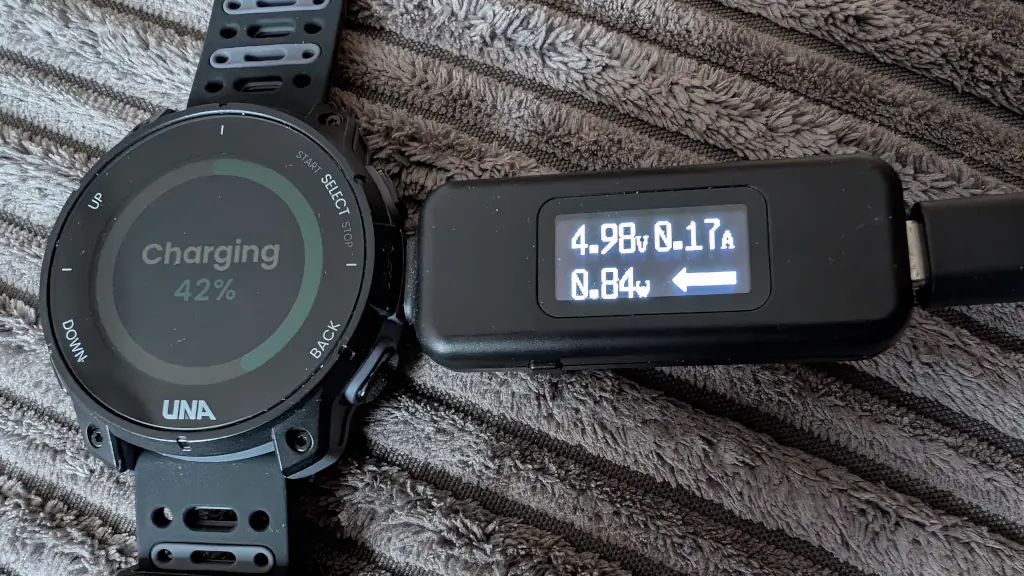
It happily charged from a PD plug, but didn't get any faster than about 0.84W. Basically, I can fully charge it on most public transport in London.
The time seemed accurate, there were options to play about with, the vibrations for notifications were easy to feel. There is an option to make it beep with every button press - I turned that off sharpish!
Disclaimer
I am not a smartwatch power user. I'm not using this to minutely track all my exercise or calculate if my heart is going to explode. I don't need cm level precision of my GPS. I didn't sync this with Strava or anything else.
Apps
The official Android app (which, sadly, isn't Open Source) worked fine on GrapheneOS. It found the watch, updated its GPS almanac, and let me browse the app store & install apps. Obviously early days, but there are a variety of community developed apps to play with.
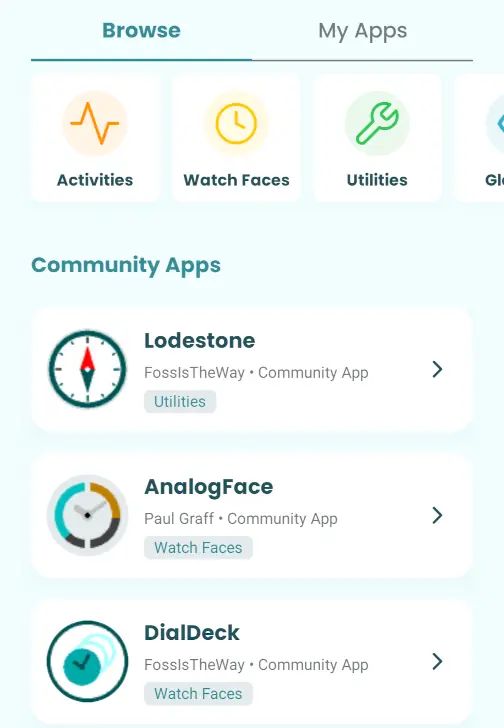
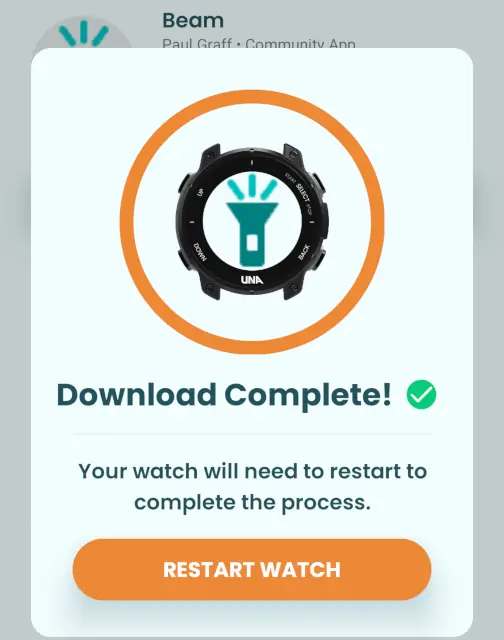
Annoyingly the watch needs to be restarted after every app is installed - but that only take a handful of seconds.
There are some strange error messages.
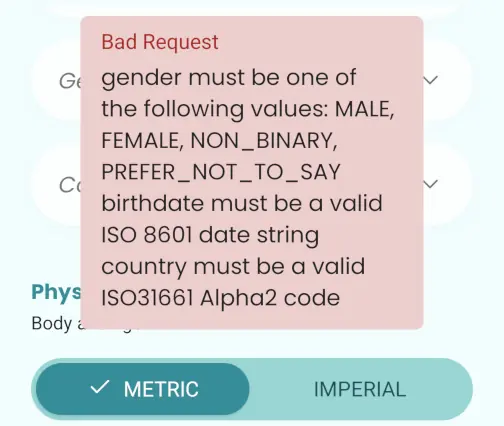
That isn't the sort of message which should be shown to users.
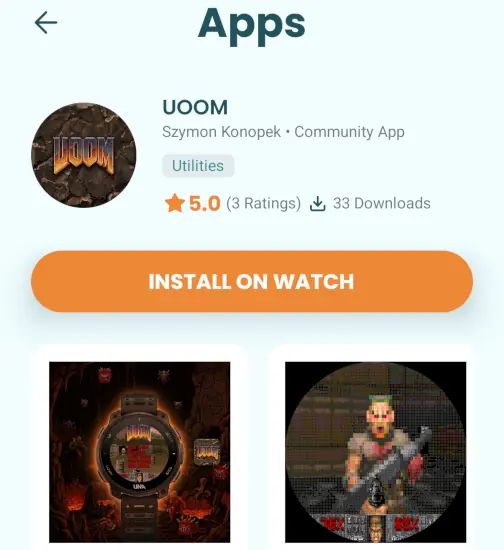
But, on the plus side, you can install Doom!
The Screen
Oddly for a modern smartwatch, the screen stays on all the time! But this isn't some power-hungry OLED, nor is it static eInk. Instead it is a memory in pixel display - black background with orange, blue, and white pixels. The backlight remains off most of the time and is easy enough to see in daylight. It is slightly reflective - but not too bad.
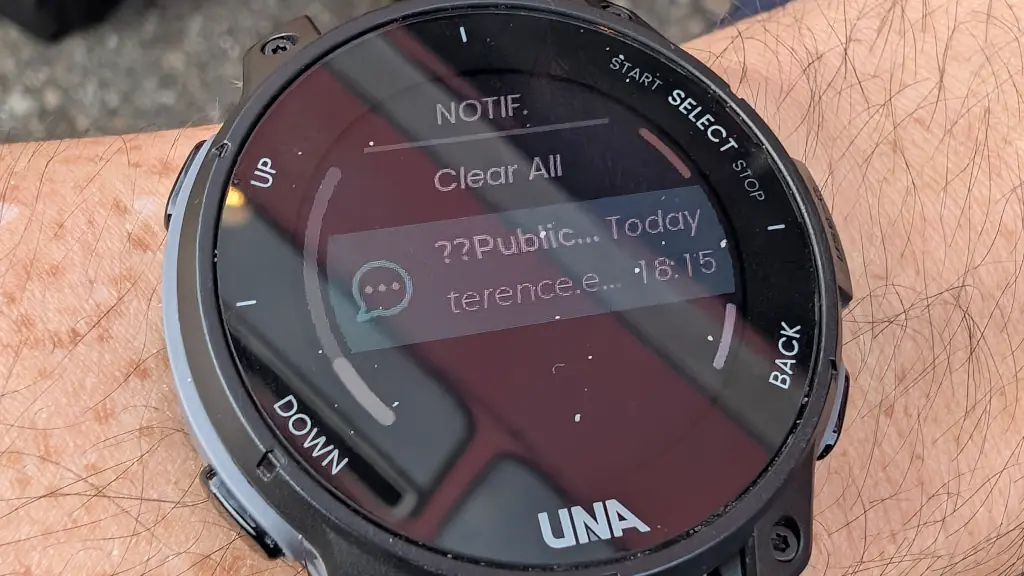
Note the ?? on the notifications - more on that later.
Annoyingly, there's no "raise wrist to light" option. You have to interact with the watch to get the screen on. The accelerometer should allow this functionality - so perhaps it just needs to be activated in the firmware? It is bright enough to see in the dark, but not so bright it will dazzle you or people nearby.
There's no touchscreen - instead there are four buttons around the face. Up, down, select, back. I did find myself repeatedly jabbing at the screen to no avail.
So, to light it, press the back button or hold one of the other buttons.
The colour scheme is pleasant enough. I miss having a full colour display so I can see a photo of my wife whenever I glance at the screen. But the low power usage can't be argued with.
Notifications
I couldn't get notifications working at first. The app just refused to let me toggle them on. Eventually I found an app in the app-store which claimed to enable them. That didn't work either.
Unpairing, repairing, and reinstalling the app made them spring to life.
There's no notification history. Once you've clicked to read it, that's it. Gone forever. Considering this has 4GB storage, that's an odd decision.
Some of the notifications were slightly corrupt - showing question marks in place of (I assume) esoteric Unicode.
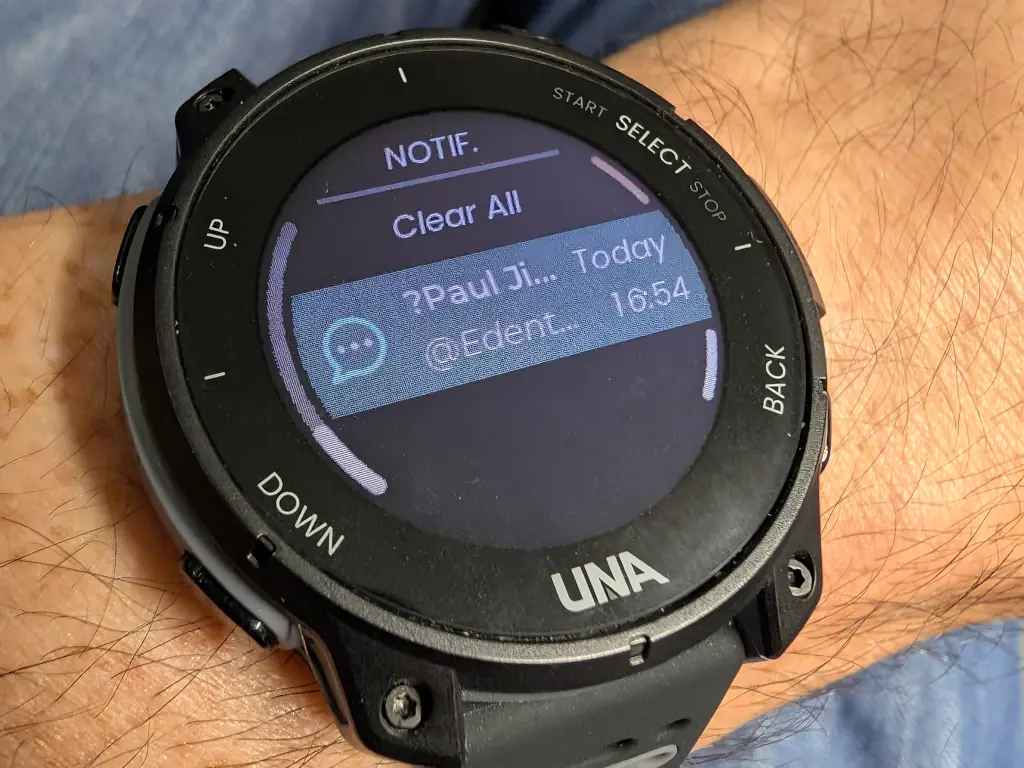
There's no way to customise the vibrate pattern - so everything "feels" the same on your wrist.
At the moment, the Una Watch sends every notification to your phone. You can't tell it to ignore certain WhatsApp groups, or only allow text messages from your spouse. The only way to get fine-grained notifications is with a third-party app like…
Gadgetbridge
You're not tied to the official app. Gadgetbridge support is excellent. There are a few things missing (you can't install apps or set alarms) - but if you want to measure your heart rate, send notifications, etc you'll be fine.
Linux Compatibility
The Una Watch plugs in to USB-C and shows up as 3.5GB of exFAT formatted storage.
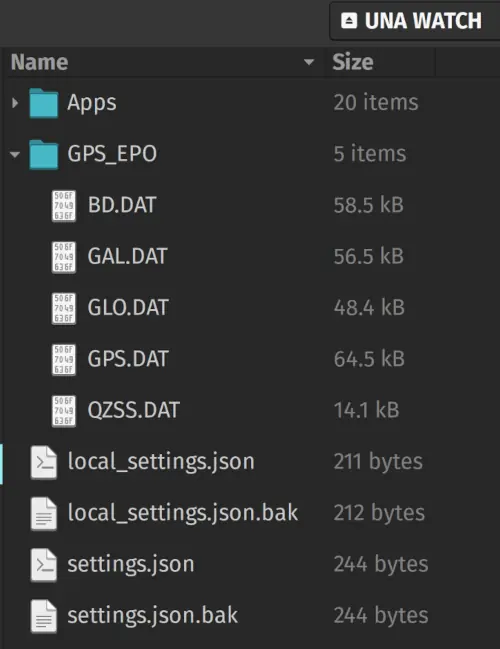
You can manually edit the JSON files if you like. I think you can copy off your workout data. Or you can just use it as portable storage.
Under lsusb it describes itself as 0483:52a4 STMicroelectronics UNA Watch
Battery Life
After a full day of use the battery was at around 95% - that was with a bit of GPS, several notifications, heart rate monitoring, step counting, and a bunch of fiddling. With more GPS use, that's going to be heavier on the battery.
But the joy of USB-C is that I can thwack in the same cable as I use for all my other gadgets. I can even plug it into my phone and leach a bit of power from there.
Development
The watch comes will a full Open Source SDK including lots of assets. There are several tutorials and a friendly community board.
Of course, everything has to be done in C++ - an accurs'd language which I learned in the last century and wish I'd forgotten.
Annoyingly, the TouchGFX GUI designer only works in Windows.
I'm going to try to build my own watch faces and a few niche apps.
Downsides
There are a few things this watch doesn't do - some of these may be deal-breakers for you, but weren't for me.
- No payments. There's no tap-to-pay, NFC, or anything like that.
- No microphone. You cannot speak into your Una Watch or take calls on it.
- No speaker. There's a little buzzer which can make squeaks and squawks - but you won't be playing your music through it.
- While the apps and SDK are fully open, the firmware isn't (yet).
- Can't reply to notifications.
- No maps or directions (yet).
- Step counter only shows the full day - no hour-by-hour view.
Some of these things can and will be fixed in software. Others are limitations of the hardware.
Final Thoughts
The Una Watch has dropped in price to £180. I grabbed mine 2nd hand from eBay for £120. At either price, it's decent value if you're happy to play with alpha / beta quality technology.
If you're a serious athlete, you'll probably want a more expensive and polished experience. If you are tied into the Apple or Google ecosystems, you'll probably want one of their watches.
If you like tinkering, want to experiment with new technology, or simply want to support a British company trying to build something open - then this is the watch for you. Yes, there are some rough edges, but I fundamentally believe that technology should be Open Source, repairable, and give control to its users.


