

The venerable eSpeak is a mainstay of Linux distributions. It is a clever Text-To-Speech (TTS) program which will read aloud the written word using a phenomenally wide variety of languages and accents.
The only problem is that it sounds robotic. It has the same vocal fidelity as a 1980s Speak 'n' Spell toy. Monotonous, clipped, and painful to listen to. For some people, this is a feature, not a bug. I have blind friends who are so used to eSpeak that they can crank it up to hundreds of words per minute and navigate through complex documents with ease.
For the rest of us, it is a steep and unpleasant learning curve.
There are lots of modern TTS programs using all sorts of advanced AI. Many of them are paywalled or require you to post your text to a webserver - with all the privacy and latency problems that causes. Some are restricted to high-powered GPUs or other expensive equipment.
Piper is different. It is local first, runs quickly on modest hardware, and is open source.
The easiest way to install it on Linux is to use Pied - a simple GUI which allows you to select languages, listen to accents, and then install them.
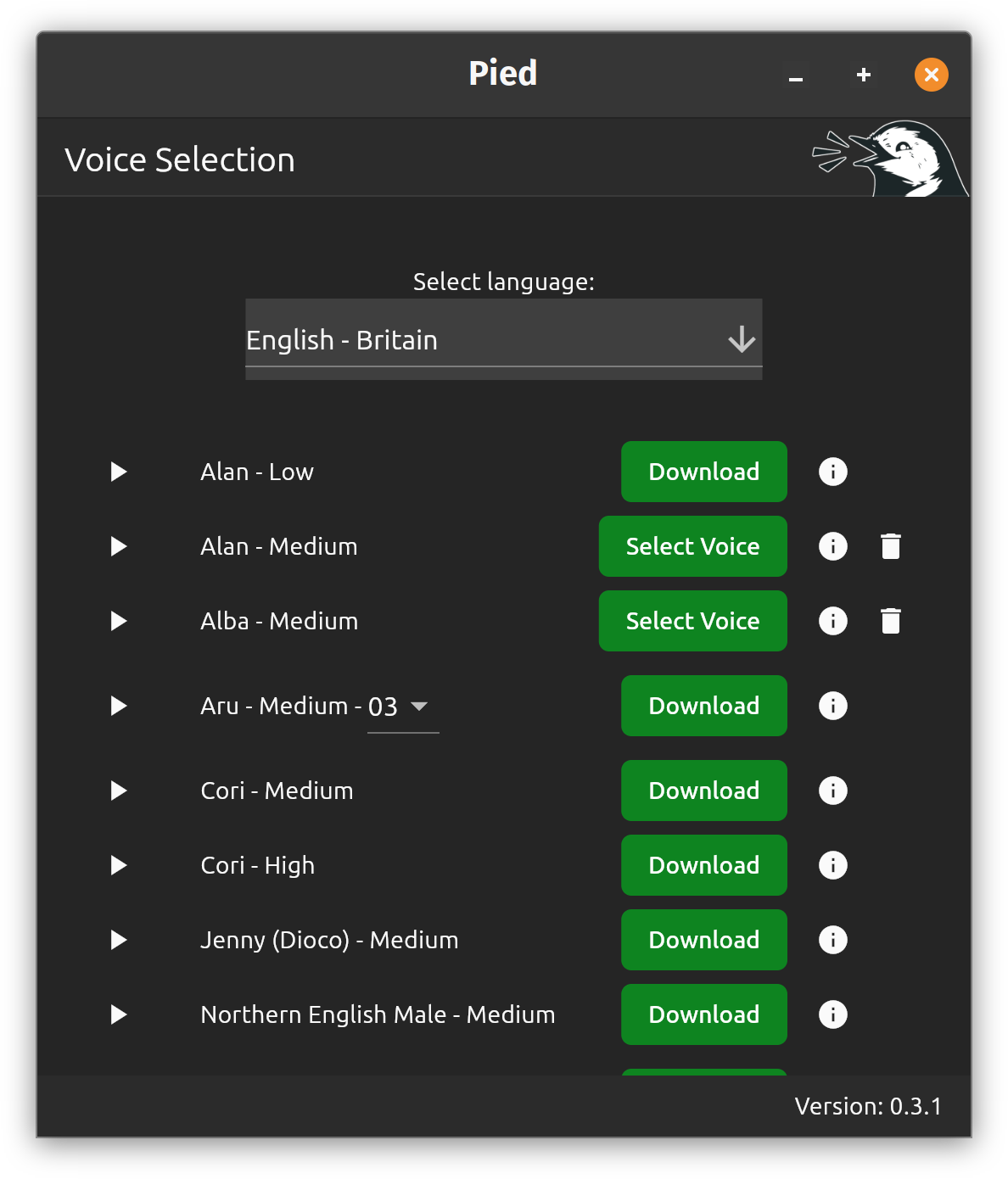
It will change your speech-dispatcher to use the new Piper voice. That means it is immediately available to your Linux DE's accessibility service and to apps like Firefox.
I now have a reassuring Scottish lady speaking out everything on my computer.


2 thoughts on “Better TTS on Linux”
Is that the venerable @popey.me listed first?
| Reply to original comment on bsky.app
That's me!
| Reply to original comment on bsky.app
More comments on Mastodon.