

I still use my obsolete LG 360 Camera. When copying MP4 videos from its SD card, they come out in "Dual Fisheye" format - which looks like this:
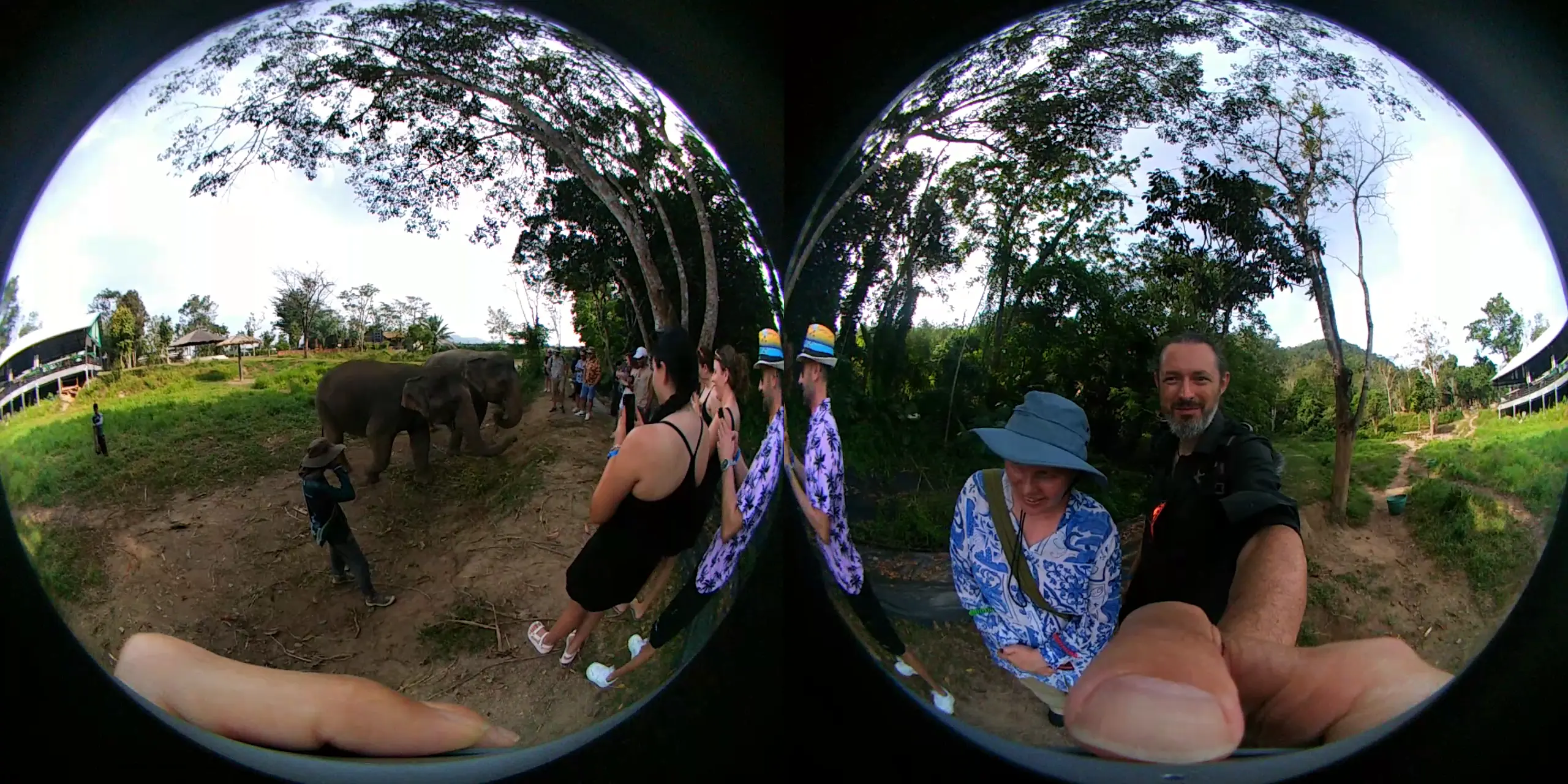
VLC and YouTube will only play "Equirectangular" videos in spherical mode. So, how to convert a dual fisheye to equirectangualr?
The Simple Way
Bash
ffmpeg \ -i original.mp4 \ -vf "v360=input=dfisheye:output=equirect:ih_fov=189:iv_fov=189" \ 360.mp4
However, this has some "quirks".
The first part of the video filter is v360=input=dfisheye:output=equirect - that just says to use the 360 filter on an input which is dual fisheye and then output in equirectangular.
The next part is :ih_fov=189:iv_fov=189 which says that the input video has a horizontal and vertical field of view of 189°. That's a weird number, right?
You'd kind of expect each lens to be 180°, right? Here's what happens if :ih_fov=180:iv_fov=180 is used:
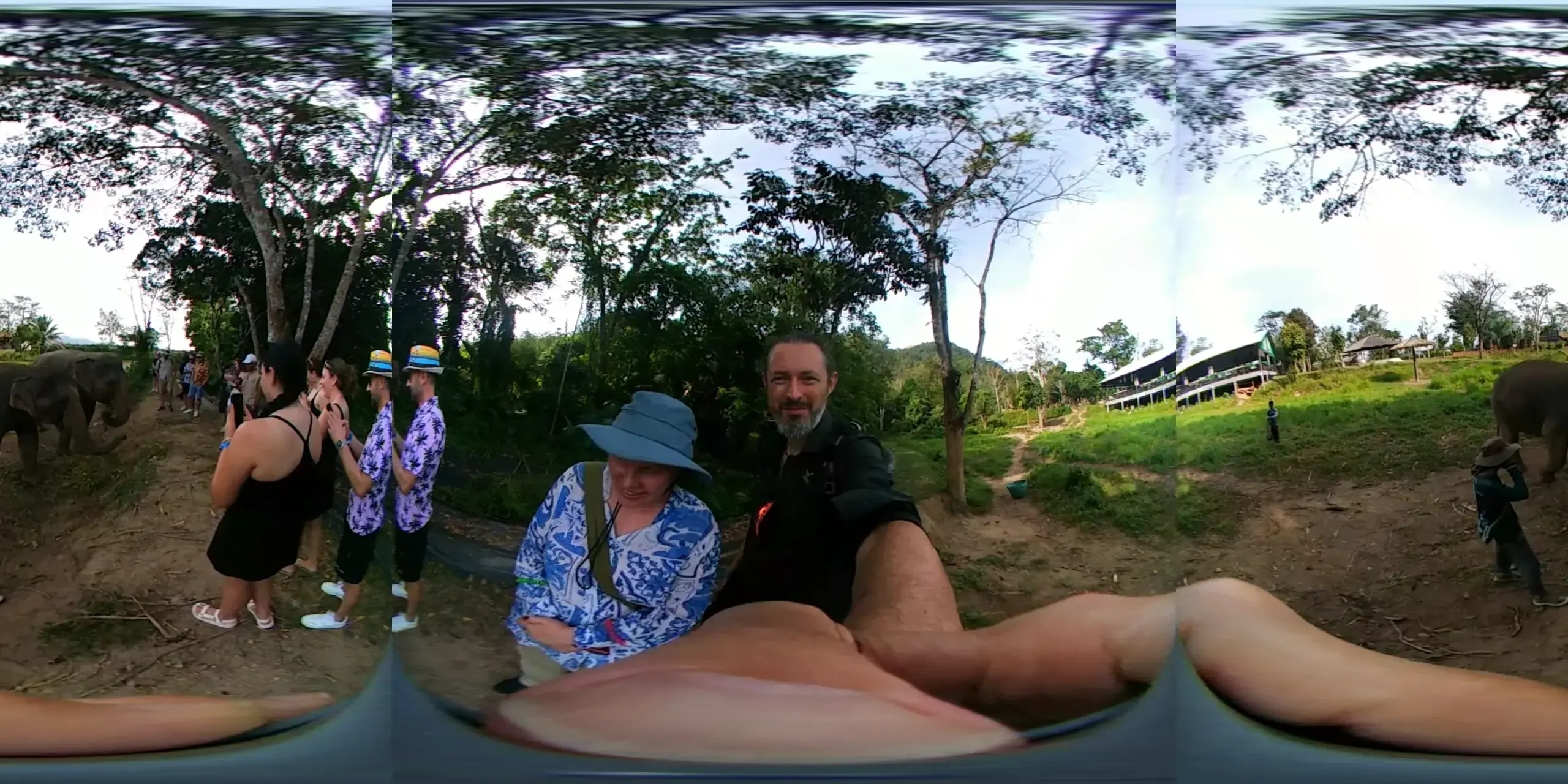
The lenses overlaps a little bit. So using 180° means that certain portions are duplicated.
I think the lenses technically offer 200°, but the physical casing prevents all of that from being viewed. I got to the value of 189° by trial and error. Mostly error! Using :ih_fov=189:iv_fov=189 get this image which has less overlap:
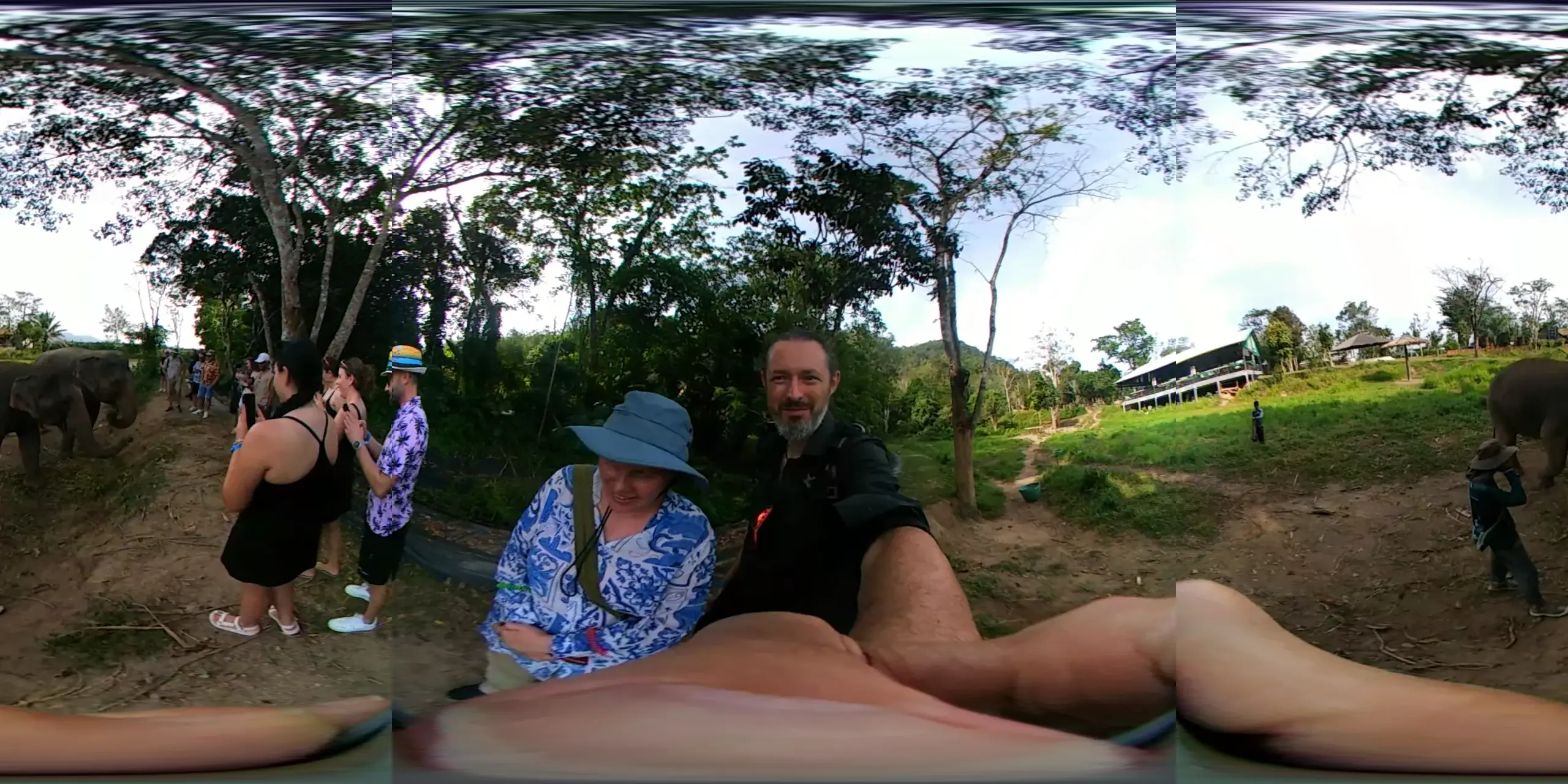
It isn't perfect - but it preserves most of the image coherence.
Cut Off Images
There's another thing worth noticing - the top, right, bottom, and left "corners" of the circle are cut off. If the image sensor captured everything, the resultant fisheye would look something like this:
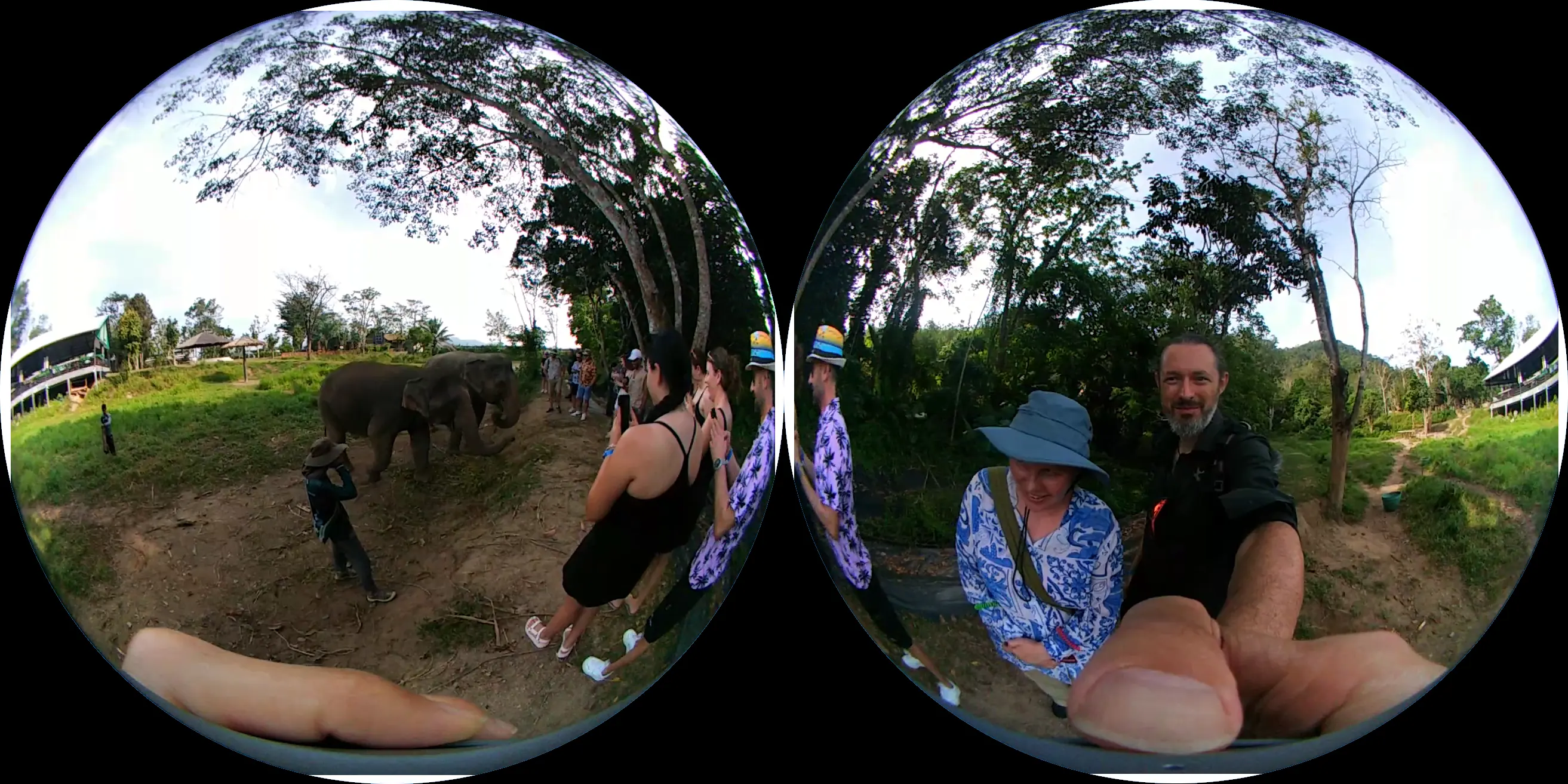
I tried repaging the video to include the gaps, but it didn't make any noticeable difference.
Making Equirectangular Videos Work With VLC
Sadly, ffmpeg will not write the metadata necessary to let playback devices know the video is spherical. Instead, according to Bino3D, you have to use exiftool like so:
exiftool \ -XMP-GSpherical:Spherical="true" \ -XMP-GSpherical:Stitched="true" \ -XMP-GSpherical:ProjectionType="equirectangular" \ video.mp4
Putting It All Together
The LG 360 records audio in 5.1 surround using AAC. That's already fairly well compressed, so there's no point squashing it down to Opus.
The default video codec is h264, but the picture is going to be reprojected, so quality is always going to take a bit of a hit. Pick whichever code you like to give the best balance of quality, file size, and encoding time.
Run:
ffmpeg \ -i original.mp4 \ -vf "v360=input=dfisheye:output=equirect:ih_fov=189:iv_fov=189" \ -c:v libx265 -preset fast -crf 28 -c:a copy \ out.mp4; exiftool \ -XMP-GSpherical:Spherical="true" \ -XMP-GSpherical:Stitched="true" \ -XMP-GSpherical:ProjectionType="equirectangular" \ out.mp4
That will produce a reasonable equirectangular file suitable for viewing in VLC or in VR.
If this has been useful to you, please stick a comment in the box!


