

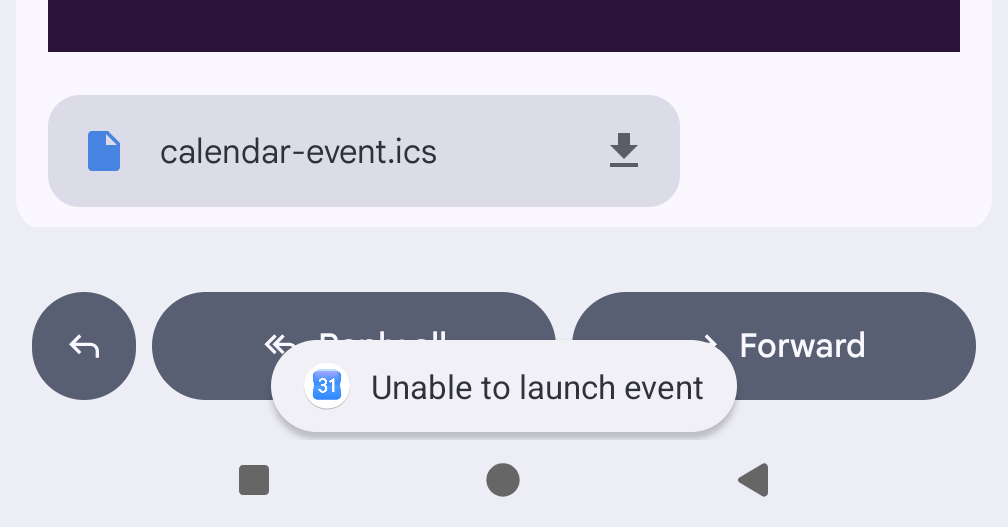
For several years, Google's product help forums have been littered with people trying to download a .ics event from their email, only to receive the error "Unable to launch event" when trying to add it to Google Calendar. It doesn't happen with all iCal attachments, only some. Here's how to fix it.
I checked dozens of broken iCalendar invites using this iCal validator and they all had the same problem: "Missing DTSTAMP property".
Here's a typical broken file:

BEGIN:VCALENDAR VERSION:2.0 PRODID:abcdef-ghij-klmn-opqrs-tuvwxyz BEGIN:VEVENT DTSTART:20260713T093000Z DTEND:20260713T103000Z SUMMARY:Your Delivery (Order 123456789) UID:83c510fa-1be4-48a2-8338-c5a2350ba6e5 END:VEVENT END:VCALENDAR
If you read the specification or follow the flowchart you'll see:
Property Name: DTSTAMP
Conformance: This property MUST be included in the "VEVENT", "VTODO", "VJOURNAL", or "VFREEBUSY" calendar components.
Adding that to the above produces:
BEGIN:VCALENDAR VERSION:2.0 PRODID:abcdef-ghij-klmn-opqrs-tuvwxyz BEGIN:VEVENT DTSTAMP:20260713T093000Z DTSTART:20260713T093000Z DTEND:20260713T103000Z SUMMARY:Your Delivery (Order 123456789) UID:83c510fa-1be4-48a2-8338-c5a2350ba6e5 END:VEVENT END:VCALENDAR
You can download them both to see if they work on your Android phone.
That's all it takes! Add the missing DTSTAMP to broken files and Google Calendar is able to import them.
From my (unscientific) testing, the broken file works on all iOS devices and some Android calendars - but always breaks on Google's Calendar.
The iCal specification is reasonably old, but it is fairly simple to understand. Annoyingly, Google's documentation about iCal is frustratingly vague. It says:
This is what an iCalendar file looks like. An iCalendar file can also have more information, but these are the parts that are required.
BEGIN:VCALENDAR
VERSION:2.0
PRODID:< [enter ID information here] >
BEGIN:VEVENT(event details)
END:VEVENT
END:VCALENDAR
But it never actually describes what those "event details" are!
Is the spec needlessly verbose? Perhaps. Should Google Calendar be a bit more forgiving in what it receives? Probably!
There's no meaningful way to report a bug to Google's product teams. Instead, I've taken to emailing the organisations sending out these broken invites and pleading with them to fix their systems.
Computers, eh?


3 thoughts on “Google Calendar "Unable to launch event" - caused by missing DTSTAMP”
@Edent can confirm my ICAL generator has always had DSTAMP on it
| Reply to original comment on mastodon.social
@Edent It might be worth mentioning what the
DTSTAMPfield means (I had to follow the links through to the spec to find it):I guess if you're fixing up a broken entry you can't really know when it was originally created, but I think using the earliest one of the current time,
CREATEDorDTSTARTwould make the most semantic sense.Or if you have outside context you could use that, such as the
Dateheader if it was in an email, orLast-Modifiedif it was retrieved over HTTP.RFC 5545: Internet Calendaring and Scheduling Core Object Specification (iCalendar) | RFC Editor
| Reply to original comment on social.treehouse.systems
"There's no meaningful way to report a bug to Google's product teams."
That is indeed ridiculous - but you can contact the "CalConnect CALENDAR Technical Committee", who presumably either have representation from Google, or contacts with them. If you think it worth the candle.
More comments on Mastodon.