

I needed a small and light laptop to take travelling. Something with a larger screen than my phone so I can use the Big Internet™. Nothing too expensive and something that uses the same USB-C charger as everything else.
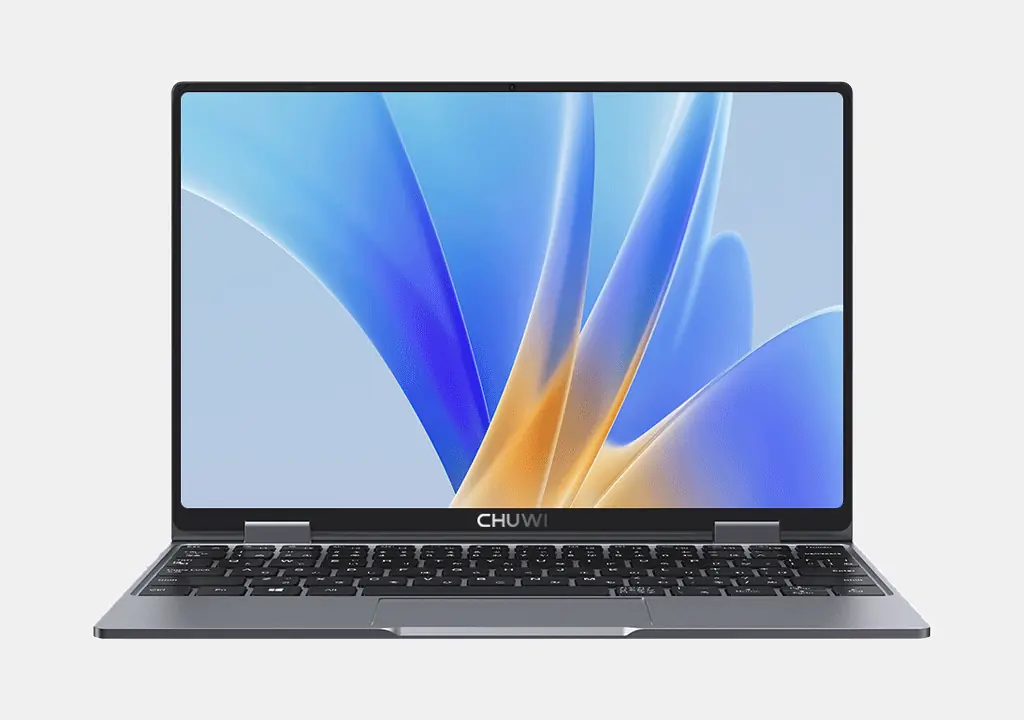
So I settled on the Chuwi Minibook N150. It's literally small enough to fit in my cargo-short pockets. For the price (around £300ish) it is basically fine. There are a few niggles, but none of them showstoppers for me.
I took it to OggCamp and had so many people come and ask me about it. It's a small, cute, and distinctive looking device.
The Bad
Here are the worst things about the laptop:
- US Keyboard. Yup, the @ and " are in the wrong place. I can be set to UK, but then you lose the | key.
- The trackpad sometimes goes a bit jittery. It usually works, but once it a while goes askew. The touchscreen can be used if it happens.
- Screen rotation works, but the keyboard and trackpad don't switch off if you bend the keyboard all the way back.
- No biometrics like fingerprint or camera - so you need to remember your passwords.
- Support from the manufacturer is haphazard. Mostly forum links and expired downloads. The firmware seems to update fine on Linux though.
That's not too bad, I reckon.
Installing Linux
I had a brief play with Windows 11, let it update its drivers just in case there was any magic firmware, then nuked it.
Turn the device off. Turn it on and then hammer the Delete button. It'll pop you into the BIOS.
Secure Boot needs to be disabled:
Security → Secure Boot → Secure Boot → Disabled
You'll also need to set it to boot from a USB device:
Boot → Boot Option #1 → USB Device
The go to Save & Exit. I tried Linux Mint Debian Edition. It booted just fine and, after fiddling in the display settings, it automatically detected the screen rotation. Internet worked, touchscreen worked, Bluetooth worked. I tried a few distros and settled on NixOS as being the least worst option.
Everything works except the keyboard switching off when it is folded backwards.
Look and Feel
It is a solid lump of metal. There are no decals on back of the screen (so perfect for adding stickers!) and the bottom is similarly bare apart from some air-flow grilles and the usual identifying marks.
There are two USB-C ports on one side and a vestigial headphone jack on the other.
Keyboard
Despite coming from a UK warehouse and shipping with a UK plug, it has a US keyboard. The only real difference is the £ symbol is missing from the 3 button, the @ and " are swapped, and the | button is in the wrong place. None of that is disastrous and setting your OS to use a UK layout fixes things.
Because \| is mapped to #~, there's no way to type a backslash or pipe.
There are three levels of backlight. Off, dim, and not quite so dim. No fancy RBG effects here!
Trackpad
Supports multi-touch so you can use gestures. Obviously it is quite small, but you can touch the screen if you need to. Annoyingly, the trackpad is only "clicky" at the edges. You can click down in the middle, but it doesn't feel like it clicks. Not a show stopper, but a bit aggravating.
Screen
The screen has masked off rounded corners. Personally I think that's something which should be left to the Desktop Environment to decide. I can't really understand why they've done that. However, as the ratio is 16:10, you're not going to lose precious pixels when watching a movie.
The screen is bright enough for most uses and goes fairly dim for night use. It is locked at 50Hz which is a bit of a baffling decision. I guess it saves a modicum of power? For almost all uses, you won't notice the difference though.
Battery and Charging
It ships with a USB-C PD charger with a UK plug and a hard-wired connection. Unfortunately, the charger was limited to 36W - so fairly modest.
However, initially the Minibook would only charge at around 10W (20V⎓0.5A) eventually getting up to 16W (12V⎓1.3A or 20V⎓0.3A) - that didn't meaningfully change when I used a more powerful laptop charger. It never got up to the promised 36W while the unit was off.
Once I turned it on, it jumped to ~35W (11.70V⎓3A). Using the stronger charger it occasionally got to 40W (20V⎓2A) but mostly stayed around 36W.
That's not a bad speed, and the battery is relatively small, but you won't be able to take it from empty to full with a quick blast. If you do need it to charge quickly, make sure it is on.
Size, Weight, and Tablet Mode
At just under a Kg, it is light enough to slip into a jacket pocket. Similarly, although around twice as thick as a normal 10 inch tablet, it isn't massive. Holding it up for long periods means you will feel the weight more keenly - but the keyboard acts as a pretty decent stand.
It supports multi-touch and a pen, apparently, which is not supplied.
Camera
The small lens is sensibly placed in the top centre and is of surprisingly good quality. You're not going to shoot a movie on it, but fine for video calls.
Verdict
Depending on how you are blessed by The Algorithm, this is around £300 - £350. You may also have to pay tax and delivery depending on where it is shipped from.
The specifications are pretty decent. Look, it's no MacBook Neo - but it is cheap and runs Linux.
If you're happy futzing around a bit, it's a decent travel companion.


3 thoughts on “Gadget Review: Chuwi Minibook X N150 + Linux”
@Edent I saw one of these in person a 6 months ago or so I was impressed. Would love to see a teardown of the inside.
| Reply to original comment on social.wake.st
@liaizon if it ever breaks I'll be sure to eviscerate it 😄
| Reply to original comment on mastodon.social
Ruby
chuwi devices really are futzy...
this repo https://github.com/petitstrawberry/minibook-support worked to disable the touchpad ans keyboard on my minibook when flipped
More comments on Mastodon.
What links here from around this blog?