
If I'm being brutally honest, I never really got the appeal of mechanical keyboards. There was always someone in the office who made a godawful racket hammering on their keyboard and then waxed lyrical about the merits of various switches. I'd mostly just dismissed them as cranks. I'm in love with my old Microsoft 4000 ergonomic keyboard. What use could I have a mechanical keyboard festooned with lights?
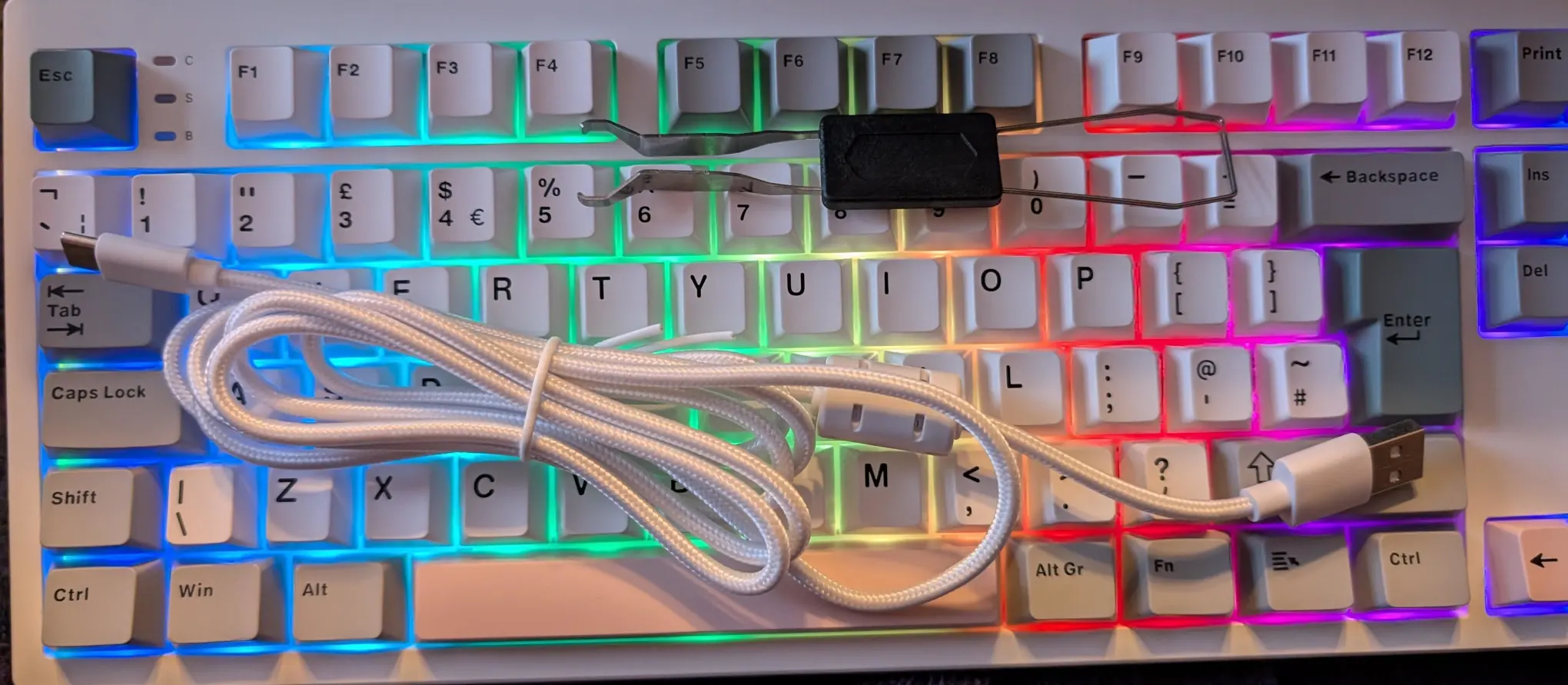
The good folks at Epomaker want me to see the error of my ways and have sent me a couple of devices to review. Today I'm trying out the TH87 and it is surprisingly lovely!
Blinken lights!
Here's a quick video showing some of the effects.
Is this necessary? No! But it is jolly good fun. Probably a bit distracting - especially if you're in a dark space or a crowded office - but rather pleasing nevertheless. Switching between the effects means remembering the correct key combo - there's no way to do it programatically, you just have to cycle through them all.
Linux Compatibility
The TH87 comes with a USB-C to A cable. Personally, I'd've preferred straight C-C, but this does the job. Flick the switch at the back to USB mode, plug it in, and Linux instantly detected it. No drivers to configure.
Rather cheekily, lsusb shows it as 05ac:0250 Apple, Inc. Aluminium Keyboard (ISO) - there's another switch for changing between Mac and PC mode. That doesn't change how the keyboard presents itself; just the keycodes it sends.
Oddly, there was this warning in dmesg:
apple 0003:05AC:0250.0010: Fn key not found (Apple Wireless Keyboard clone?), disabling Fn key handling
However, the function keys worked and I was able to control screen brightness etc using Fn and the F1-12 keys.
There's also a Bluetooth option. Again, Linux use was a breeze - although you'll have to remember what the pairing combo is and which device it is paired to.
There's also a 2.4GHz option. Hidden under one of the feet is a little USB-A receiver. Again, pairing is simple - just plug it in and flick the switch.
As expected, it also plays well with Android. The Bluetooth connection worked as did USB-OTG. Of course, quite why you'd want a giant heavy keyboard paired to your tiny phone is an exercise left to the reader.
Clunk Click Every Trip
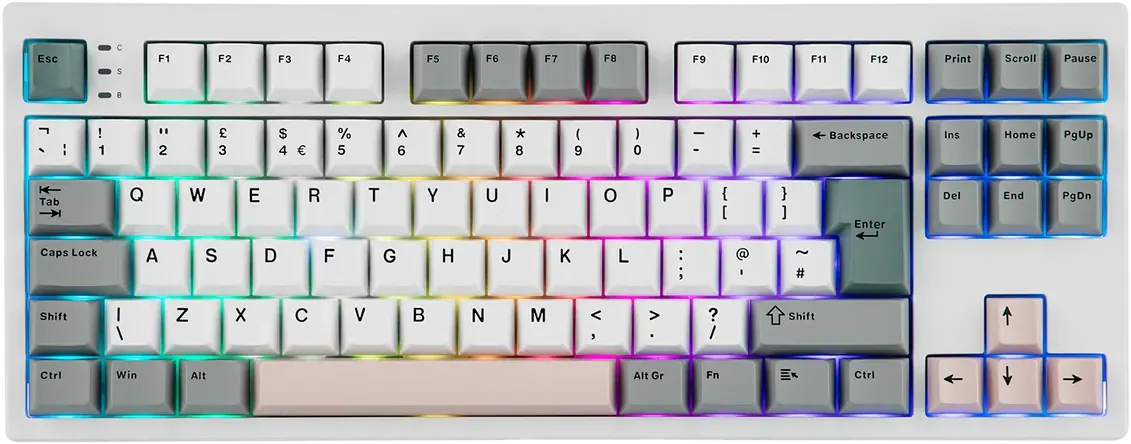
So let's talk about noise. This keyboard is noisier than some of my other typing surfaces, but not aggressively so. Apparently it is "pre-lubricated" and has some noise suppression. The travel on the switches is excellent, they aren't stiff, and the whole contraption is sturdy.
It was easy to remove the caps with the enclosed tool. I didn't bother trying to extract a switch because I'm afraid of buggering it up.
Other Things
Battery life is excellent - as you'd expect from a 10,000 mAh unit. It recommends charging by attaching to a computer and warns a regular charger might damage it. But, frankly, it seemed to cope just fine.
There's no software for customising the colours or functionality. Apparently lots of mechanical keyboards run an Open Source firmware - but this appears to be proprietary. There is some question about whether Epomaker comply with the GPL when it comes to the QMK source. They appear to have some source code available but it is hard to tell whether it exists for this specific model. I've contacted them for clarification.
There's a lot of technobabble on the website. Apparently it uses "5-Layer Sound Optimizing Design with PORON Sandwich Foam, IXPE Switch Pad, Sound Enhancement Pad, EPDM Switch Socket Pad, and Silicone Bottom". I've no ideas what it means, but it appears important to some people.
There's no number-pad, which is a bit of a shame. However the keyboard has a proper UK layout and is reasonably compact. Although at 1Kg it is almost as heavy as my laptop!
Cost
I have no internal benchmark for something like this. It's around £60 from AliExpress or £80 on Amazon UK depending on whether you have pleased The Algorithm. That seems pretty reasonable for a hefty keyboard with lots of customisability.
If you want ALL THE LIGHTS and value the ability to hot-swap various keys and switches, I think this is a nifty bit of kit.


One thought on “Gadget Review: Epomaker TH87 ISO Mechanical Keyboard”
@Edent the fn-key massage on tour Linux host may have to do with how Apple handles the fn key, as I've understood it. Contrary to everyone else, Apple keyboards actually send a keycode to the host when you press fn. Everyone else uses that key as something that only Does Things in the firmware (like switching rgb).
In addition, keyboards have to present themselves as being actual Apple kit for some reason, or some things (which ones exactly, I don't recall, it's not my use case) won't work.
Hence your keeb announcing appleness and the OS expecting something regarding the fn-key.
I think.
| Reply to original comment on toet.dnzm.nl
More comments on Mastodon.