
Cables aren't just copper wire and plastic sheath any more. Modern USB-C cables contain little microchips called eMarkers which allow them to transfer data and power at terrifying speeds. But, sadly, there's no way you can look at a USB-C cable and see whether it supports the baffling array of features available.
Enter the catchily-named Treedix TRX5-0816-AC.
It will test just about any sort of USB cable and tell you what it does - and doesn't - support. It will also show you which pins are connected, how fast it can transmit data, and what the eMarker shows. Nice!
Let's put it through its paces.
Inputs and outputs
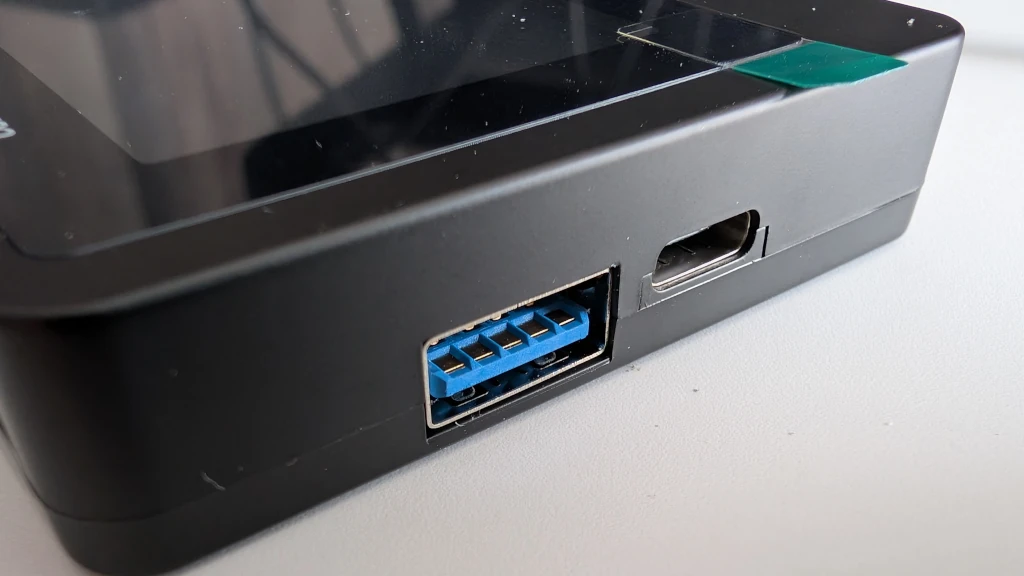
On one side are your output ports - you have a choice of USB-C or USB-A 3.0.
At the bottom you have this range of ports to choose from:
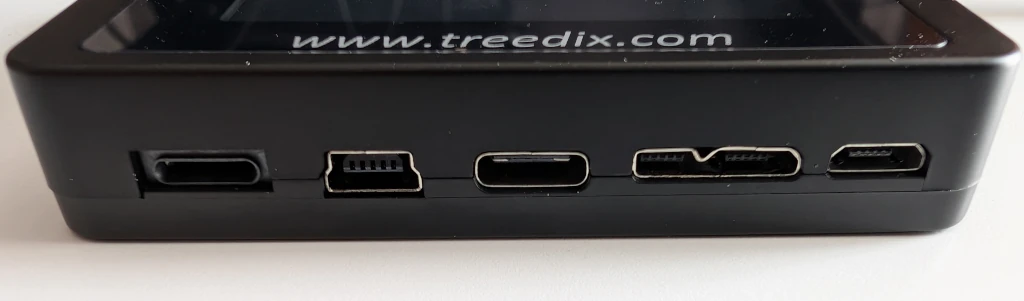
So you can go A-C, C-micro, C-lightning etc.
Finally, on the other side you have a button, a switch, and input power:

The power switch toggles between the internal AAA battery (included) and a 5V supply from a USB-C cable (not included). Pressing the white button moves between the different diagnostic screens.
Power Only
I tried with a short USB-C power-only cable designed for charging low-power devices. I plugged in the USB-A end and the USB-C end.
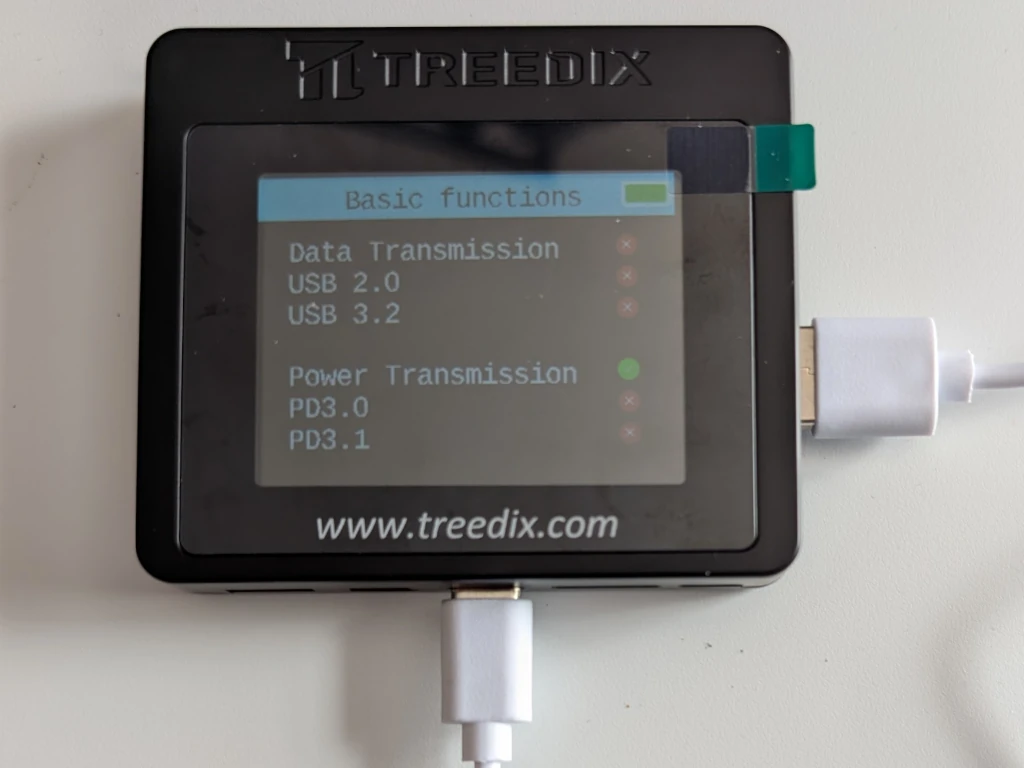
It correctly identified that it couldn't do data transmission.
With a power-only USB-C cable, it had much the same display. Pressing the button on the side of the Treedix told me what it knew about the eMarker.
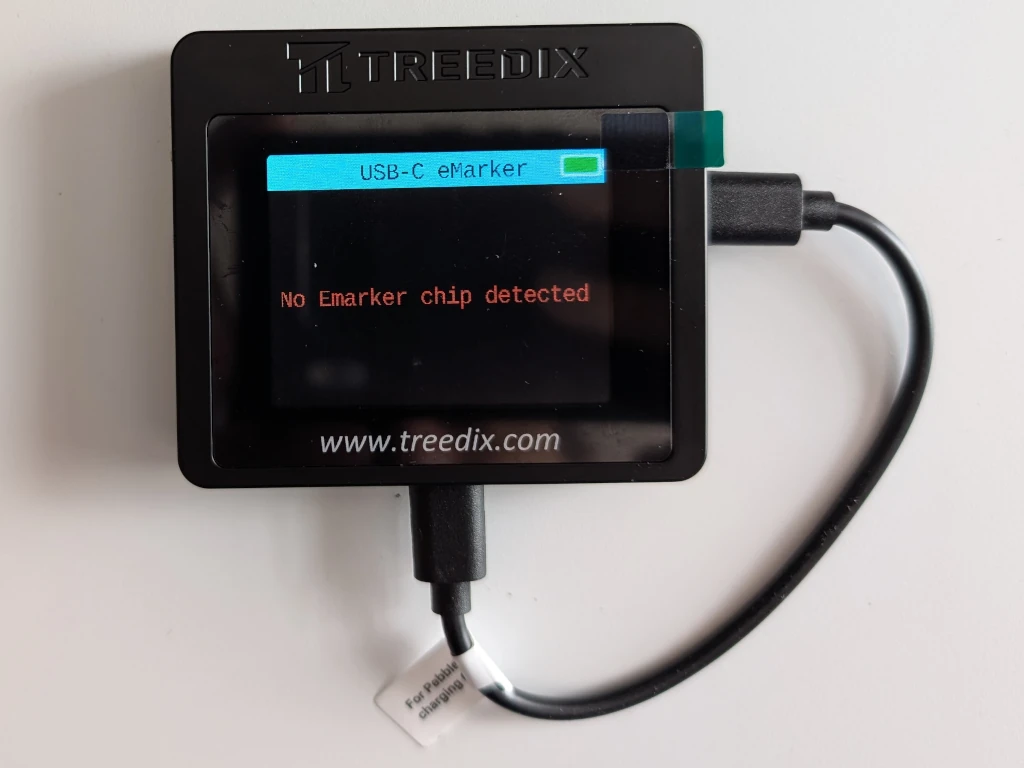
Perfect!
Passive USB-C
What about a data and power USB-C cable? This is the ChubbyCable I reviewed a few years ago.
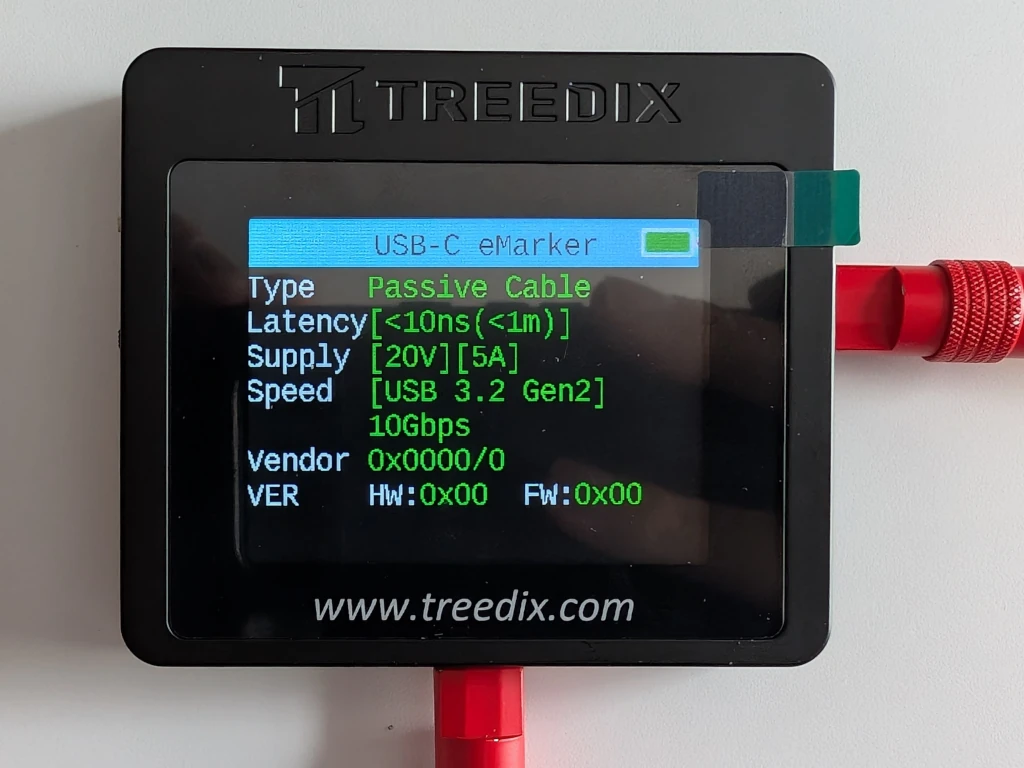
USB 3.2 Gen2 and power of up to 100W. It has also correctly guessed the likely length of the cable by measuring the latency.
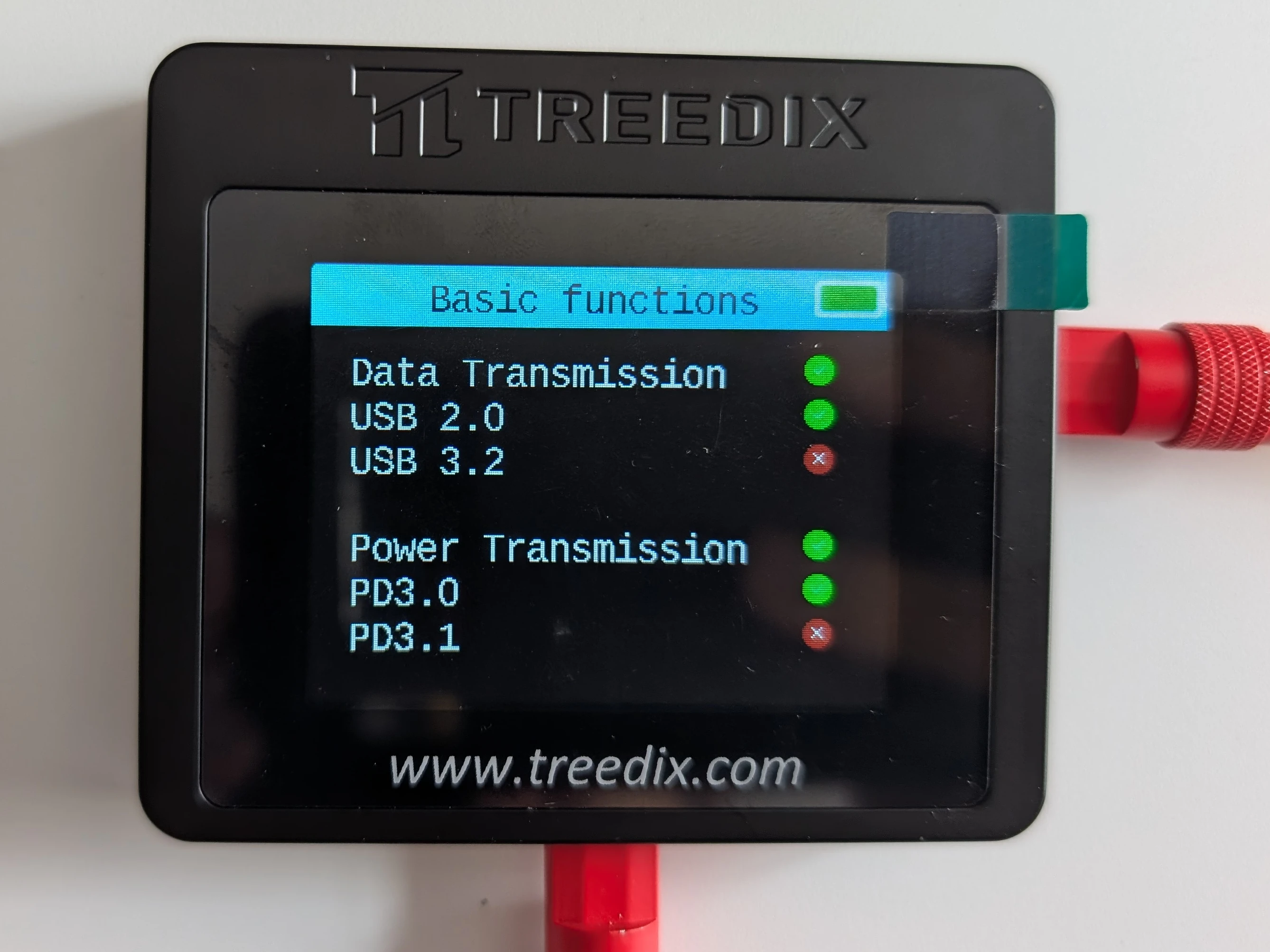
Interestingly, when looking at the basic functions, it says it can only do USB 2.0 speeds and correctly identifies that it doesn't do PowerDelivery 3.1 (which goes up to 240W).
Finally, which pins are connected?

That looks about right!
ThunderBolt 4 or 3?
Let's compare two high-performance cables. The one I usually have plugged into my Framework Laptop and USB-C hub
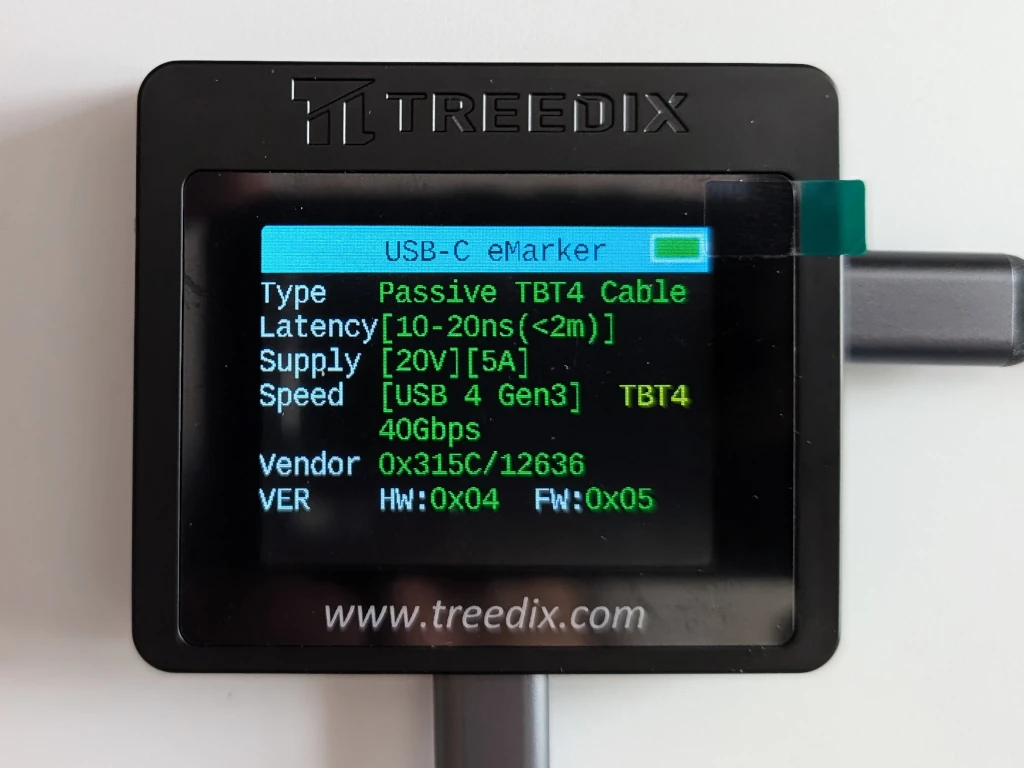
Thunderbolt 4 capable of 100W of Power and 40 Gbps of data. As expected, no PD3.1:
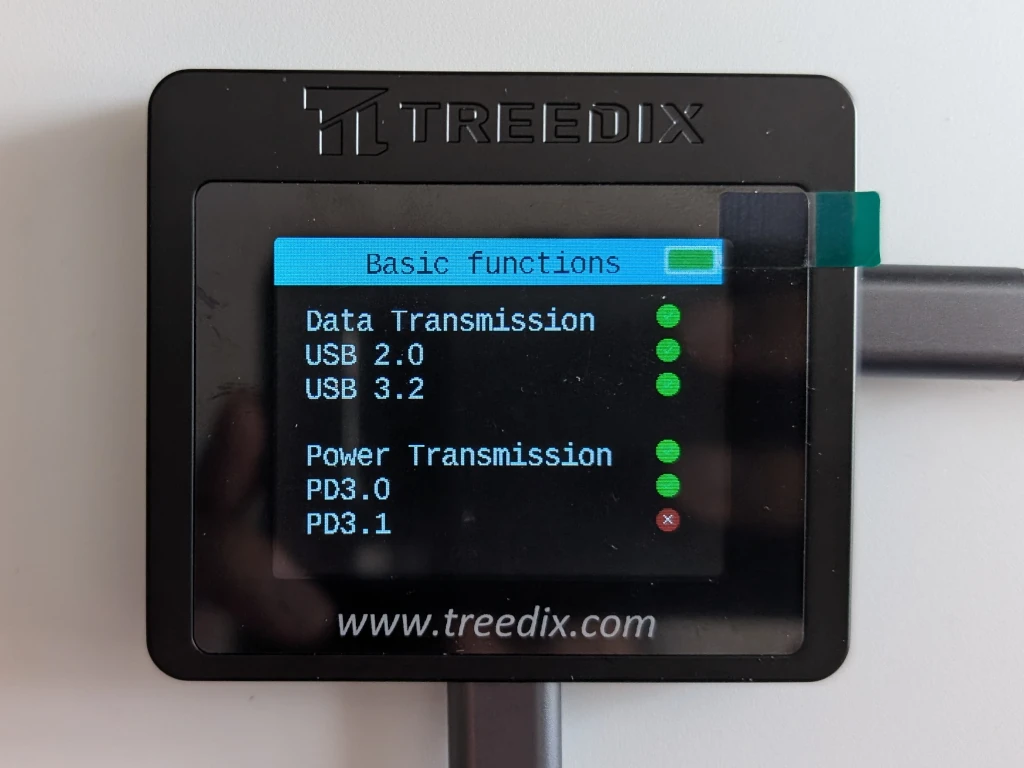
Let's test a different high-quality cable I bought recently. The labelling claims 20Gbps and 240W of power. We can see that it does have PD3.1:
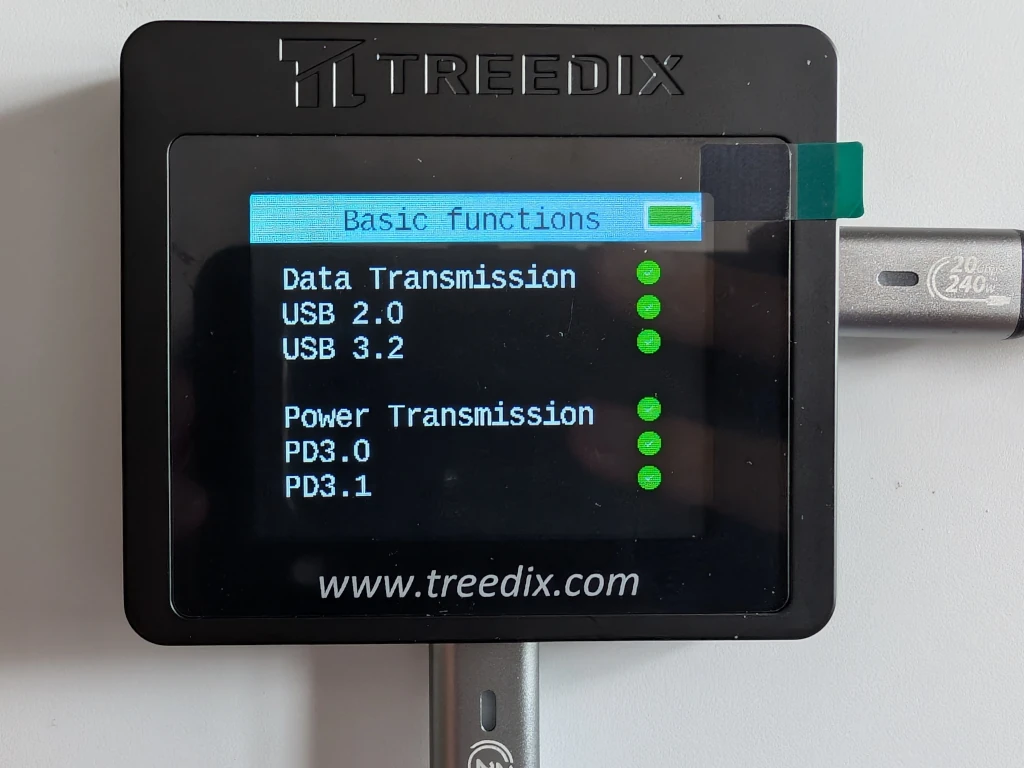
But! Looking at the eMarker, it reports that is only a ThunderBolt 3 device capable of 10Gbps!
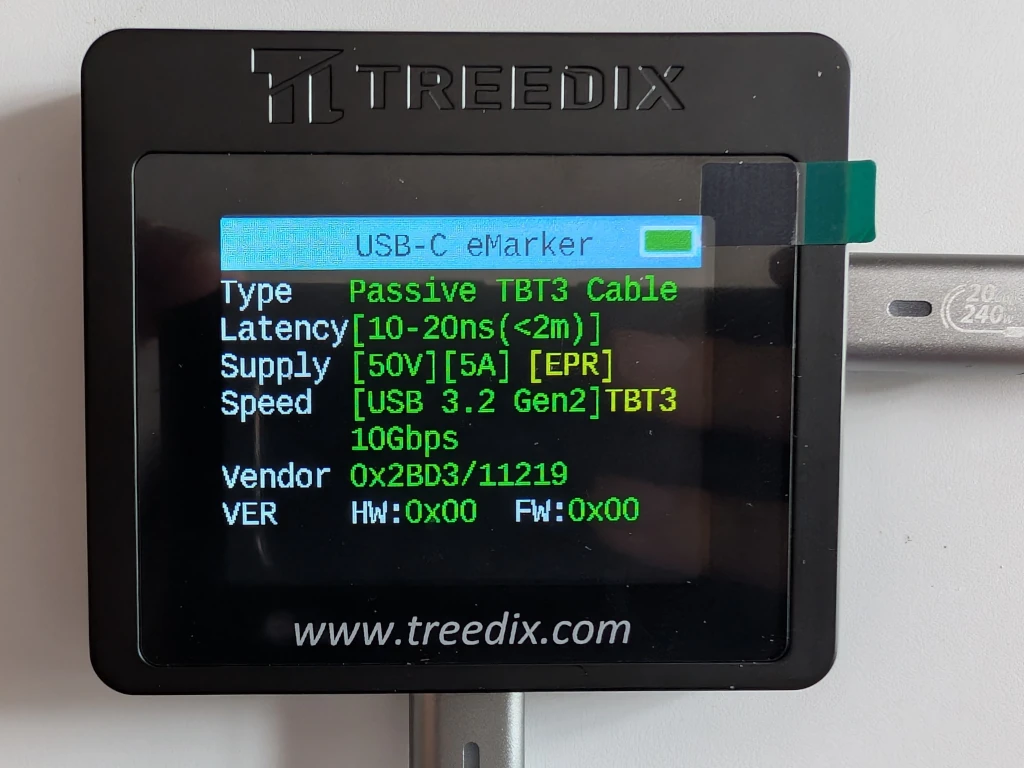
I asked the cable manufacturer if that's a problem with the cable or the eMarker or the diagnostic machine. They said:
eMarker tester can only show single channel transmission rate 10Gbps, devices supporting dual channel can show 20Gbps. our products have 18 months warranty, if there is any problem, please feel free to contact me, I will provide you with satisfactory after-sales service.
I contacted Treedix to see if they could shed light on this. They replied quickly:
Yes, we sincerely apologize - this tester currently does not support dual-channel detection at this time.
Which is a bit annoying.
Of course, my laptop only supports 10Gbps, so it is a bit moot!
Firmware
Update!
I emailed Treedix about possible firmware updates - they said:
Our devices with firmware version V2.3 and above can be updated. Currently the latest version is V2.3. you can see your version number. The way to view it is the boot page will show the version number. In addition, our test boards cannot be updated to test dual channels at this time. Because this is the information written inside the EMARKER, we can only read the information inside. We are currently working on the data inside the information we read to see if we can read the number of channels.
Mine shows a firmware of 2.3.04 - which does appear to be the latest. If a new firmware appears, I'll update this post again.
Weird Cables
As well as your standard USB-C, it will also do the ugliest plug known the mankind - the USB Micro-B SuperSpeed.
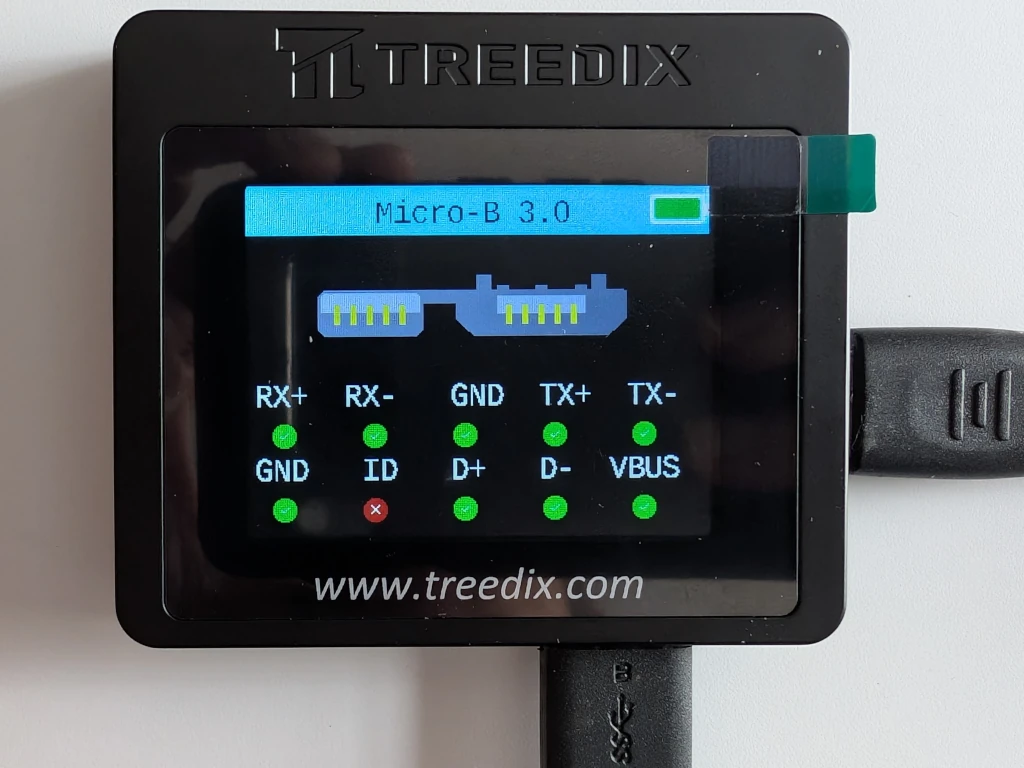
It'll also do Lightning cables - as long as they also have a USB-A or C end.
Downsides
Other than having to replace all your duff cables, there are a few annoying little niggles.
- The battery compartment is really stiff. I had to unscrew the back of the device to get it open.
- The power switch feels a little flimsy.
- The function button is a little small and fiddly.
- Screen brightness can't be changed (but it is pretty bright).
- No USB-B (the chunky one often used for printers).
- Lack of dual-channel detection.
-
No firmware updates.
Those are all minor complaints.
The biggest complaint is that USB-C terminology is hard. Which is better, 40Gbps but only 100W or 10Gbps but 240W? How does ThunderBolt relate to USB? What is EPR and why does it matter? Where does DP Alt Mode fit in?!
Verdict
It powers up and detects all features instantly. It goes to sleep after a few minutes of not being used. It will even show you the electrical resistance of the cable if you think that's useful.
Total cost? £40 at the moment from Amazon. I reckon that's a bargain. It is an indispensable piece of kit - especially if you have a big box of ancient USB cables. This will allow you to quickly and easily see which ones are broken, which are mislabelled, and which deserve pride of place in your collection.
If you're running a hackspace, this is a no-brainer. If you've ever wasted time trying to diagnose a USB problem, this should be your first port of call.


9 thoughts on “Gadget Review: Treedix USB Cable Tester”
@Edent lack of firmware updates is disappointing, considering it won’t be long until something new is added to the USB specs
| Reply to original comment on hachyderm.io
@Edent Definitely a nice little box, although the "no firmware updates" presumably means it will become obsolete as it won't be able to detect newer standards versions :'( Although I guess I have to wonder how much in the standards will change in the next few years. I feel we've reached a level of "adequate" in 2025 🙂
Also I don't know if it's the effect of your article but it's now showing as £49.99 for me on your amazon link.
| Reply to original comment on fosstodon.org
@blog Oddly, Amazon is showing it as £49.99 for me. I wonder if it's gone up in price recently.
Much as I love a neat gadget I don't think I've acquired enough USB-Cs to justify it yet.
| Reply to original comment on en.osm.town
@Edent
Great gadget if you have a stack of kinda working/questionable cables. I no longer have one.
I now have sorted and labelled data/power cables.
| Reply to original comment on mastodon.nlmakers.ca
@blog worth the money alone for "is this a data only cable or is my device not mounting for other reasons"
| Reply to original comment on hachyderm.io
That Treedix company seems to just import a variety of products from China. I doubt they developed any of the products they sell.
I've also found this Austrian start-up company that makes and sells cable testers: https://caberqu.com/ The price is higher, but if we include R&D costs and low volume manufacturing and higher living costs when compared to China… Yeah, it makes sense to be more expensive.
If you're in the mood, you might want to acquire some of those testers and review them.
@edent
I think that the manufacturer - Dongguanshi Senya E-Commerce - are the owners of the Treedix trademark. So I don't think it is a reseller, just a consumer brand.
If you want to send me one of the CaberQu testers, I'll happily put it to the test.
Sel
I bought one of these to test TBT4 cables and nothing is coming up on the emarker. I don’t know what a dual channel transmission rate is but your blog came up when I tried to find out more. I’m guessing this is the problem. Do you know if there are any cable testers out there that can test TBT4/5?
I don't know of anything for TBT5. Is it possible that your cable is a fake?
More comments on Mastodon.