
Here's how to control the Toshiba 49U6863 - and other similar models - using Telnet.
Quickstart
At the command prompt, type telnet 192.168.0.123 4660 then type 1012 and your TV will turn on. MAGIC!
Background
After six years of use, I decided to upgrade my old 37 inch Panasonic TV. I know Toshiba aren't the coolest brand around, but the 49 inch monster was half the price of the old TV. Yay Moore's Law!
BUT! It turns out that Toshiba don't actually manufacture their own TVs. They just rebadge screens made by Vestel - a Turkish company.
And, the Android remote app is made by Cabot Communications. It is pretty crappy.
Neither Vestel nor Cabot are interested in providing documentation, or any technology support. Hmmm... Reminds me, I need to do a GPL request to Vestel...
So it is up to fearless hackers to reverse engineer what they've done.
Open Source To The Rescue!
Before trying anything yourself, see if someone else has done the hard work for you. Teemu Mikkonen had already written some code to control his Vestel TV. It didn't quite work with the Toshiba models, but gave a good starting point.
WebSockets
The TV has a WebSocket interface, which broadcasts some information. Here's a scrap of JavaScript to show you the basics:
JavaScript
var TV = new WebSocket("ws://192.168.0.123:7681/") TV.onmessage = function (event) { console.log(event.data); }
As you play about with the TV, you'll see various messages pop back - but they're not that useful.
Port Scan
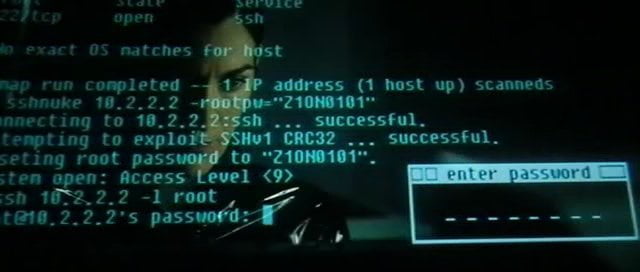
Like all good movie hackers I use nmap. Here's what it reported to be open:

2870/tcp open unknown 4660/tcp open mosmig 4661/tcp open unknown 4725/tcp open unknown 7681/tcp open unknown 56789/tcp open unknown 56790/tcp open unknown 57707/tcp open unknown
I hit the jackpot with the second port! telnet 192.168.0.123 4660 got me in. 1337 h4x0r!
Who's got the button?
I used JADX to decompile Toshiba's Android remote app.
Here are the button codes I found:
BUTTON_HOME 1046 BUTTON_POWER 1012 BUTTON_POWER_NAV 1012 BUTTON_POWER_PLAYER 1012 BUTTON_POWER_PVM 1012 BUTTON_POWER_GES_NAV 1012 BUTTON_POWER_GES_PLAYER 1012 BUTTON_POWER_GES_PVM 1012 BUTTON_RECORD 1051 BUTTON_PLAY 1025 BUTTON_PAUSE 1049 BUTTON_STOP 1024 BUTTON_PREVIOUS 1034 BUTTON_REWIND 1027 BUTTON_FORWARD 1028 BUTTON_NEXT 1255 BUTTON_SCREEN 1011 BUTTON_LANG 1015 BUTTON_SUBTITLE 1031 BUTTON_PRESETS 1014 BUTTON_EPG 1047 BUTTON_TEXT 1255 BUTTON_FAV 1040 BUTTON_3D 1040 BUTTON_SLEEP 1042 BUTTON_0 1000 BUTTON_1 1001 BUTTON_2 1002 BUTTON_3 1003 BUTTON_4 1004 BUTTON_5 1005 BUTTON_6 1006 BUTTON_7 1007 BUTTON_8 1008 BUTTON_9 1009 BUTTON_MENU 1048 BUTTON_MUTE 1013 BUTTON_UP 1020 BUTTON_LEFT 1021 BUTTON_OK 1053 BUTTON_RIGHT 1022 BUTTON_DOWN 1019 BUTTON_VOL_UP 1016 BUTTON_VOL_DOWN 1017 BUTTON_VOL_UP_2 1016 BUTTON_VOL_DOWN_2 1017 BUTTON_PROG_UP 1032 BUTTON_PROG_DOWN 1033 BUTTON_BACK 1010 BUTTON_EXIT 1037 BUTTON_RED 1055 BUTTON_GREEN 1054 BUTTON_YELLOW 1050 BUTTON_BLUE 1052 BUTTON_INFO 1018 BUTTON_MMEDIA 1057 BUTTON_SOURCE 1056 BUTTON_SWAP 1034 BUTTON_CHAN 1045 BUTTON_QMENU 1043
The good news is that the codes perfectly emulate a remote button push, so CEC passes the controls onto devices connected via HDMI.
Security? Where we're going, we don't need security!
Sadly, Vestel TV's are notorious for their lax security. This Toshiba branded one seems to have fixed most major flaws - I wasn't able to execute commands as root on the TV, for example.
But two minor privacy flaws are apparent. Any device on your home network can:
- control the TV.
- see its status messages.
Other vulnerabilities may be present, but Toshiba helpfully brands its TVs as "Secure".

I couldn't find any details about the Bavarian State Government's certification programme - let's hope it's good!


6 thoughts on “Telnet control of Toshiba Smart TVs”
James
Vestel also make the JVC sets in Currys as well as all of their own brand sets
I've got a JVC tv, I can see port 4660 is open as well according to nmap. However when I telnet to the port, it appears as if I have a connection but it subsequently closes. Unsure how to maintain the connection, any thoughts? Thanks!
mykro
hi, i bought toshibat smart tv 32lblabla which lack of functionality of Sleep timer, what i am shocked. I need this functionality, so I try a lot of android IR remote apps, but didnt find SLeep timer. I tried Toshiba Smart Remote app, and here we go, Sleep timer function was invoked despite it is not officialy supported. THen I want to buid any small device with ESP8266 which will use code 1042 in order to invoke sleep timer. Simpliest solution will be to find on ebay another IR remote, which has sleep function and works also on my TV, but as I said, i Didnt emulate sleep timer with android apps. any hints? hanks
Anon
the television actually have a sleep mode in settings if you look carefully. But it's not handy to go set it from there everytime.
bash721
Leaving this here for anyone that stumbles upon this post in the future. You can find the LAN management guide from Vestel's site, https://www.vestelvisualsolutions.com/files/vestel-visual-solutions-rs232-lan-customer-control-v1-1-d13c7b454990_9ABE26049440.pdf
@edent
Nice one!
What links here from around this blog?